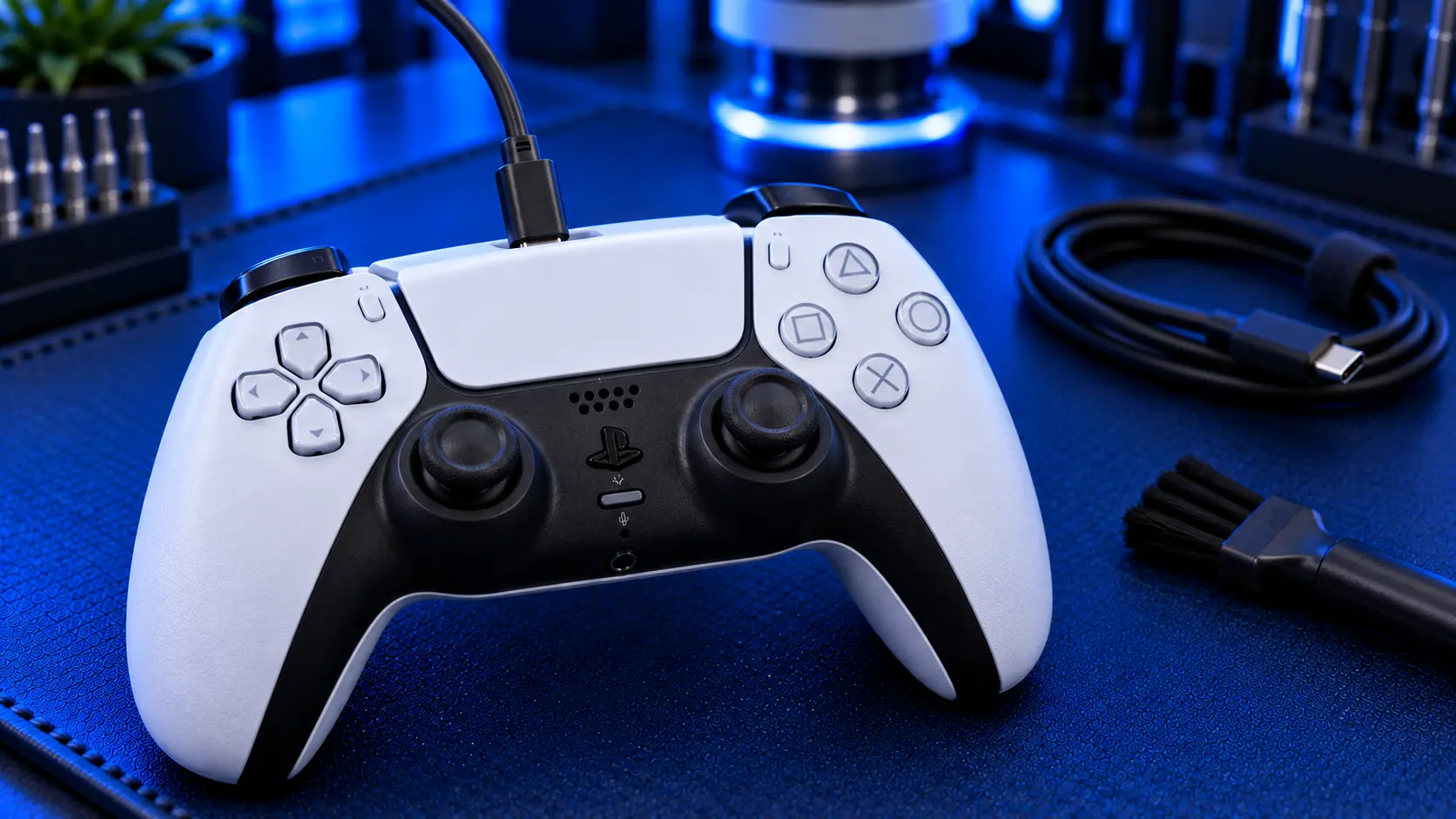
A PS5 controller that won't charge is one of the most common DualSense faults, and it's rarely as bad as it looks. In almost every case it comes down to one of three things: the cable or power source, the USB-C charging port on the controller, or the battery inside it. The trick is working out which one before you spend any money, because two of the three can cost nothing to fix.
Here's the order I'd check things in, cheapest first.
Start with the free checks
Try a different cable. This sounds too simple, but it catches a lot of people out. Some USB-C cables are charge-only or poorly made, and cables wear out at the plug end long before they look damaged. Use a cable you know works, ideally one that charges your phone.
Try a different power source. Plug the controller into a different USB port on the PS5, or into a USB wall plug. If it charges from one and not the other, the controller is fine.
Check the rest mode setting. If your controller only fails to charge while the PS5 is in rest mode, the console may be set to cut power to its USB ports. On the PS5, go to Settings, then System, then Power Saving, then Features Available in Rest Mode, and check Supply Power to USB Ports. If it's set to Off, the controller won't charge while the console sleeps.
Look inside the port. Shine a torch into the controller's USB-C port. Lint and dust build up in there, especially if the controller lives in a pocket or bag, and a packed port stops the cable seating fully. If you can see debris, ease it out gently with a wooden toothpick. Don't use anything metal, because the contacts inside are delicate.
Reset the controller. There's a small reset hole on the back of the DualSense. With the controller unplugged, press the button inside with a straightened paperclip and hold it for around five seconds, then reconnect it with a USB cable. This rarely fixes a charging fault on its own, but it rules out a controller that has simply got itself confused.
If the controller charges after any of these, you're done. If it still won't, the fault is in the controller, and the next step is telling the port apart from the battery.
Signs it's the USB-C charging port
The charging port takes more abuse than any other part of the controller. Every time you pick the controller up or put it down while it's plugged in, the cable levers against the port, and over time the connection works loose. Port faults tend to look like this:
The controller only charges when you hold the cable at a certain angle
The cable feels loose, wobbles or drops out on its own
Charging starts and stops as you move the cable
The controller disconnects and reconnects when used wired
The port looks bent, cracked or pushed in
If that sounds like your controller, the port is almost certainly the problem. A worn port doesn't recover on its own, and it tends to get worse, so it's worth sorting before it stops connecting altogether. The fix is a PS5 controller charging port repair: the old port is removed and a new one soldered in its place.
Signs it's the battery
A worn battery behaves differently. The controller charges normally, the cable feels solid and the charge indicator behaves, but the battery just doesn't last. Typical signs:
It charges, but runs flat far quicker than it used to
It won't hold a charge overnight
It switches off mid-game while still showing charge
The battery level drops suddenly rather than steadily
It only works while it's plugged in
The DualSense uses a lithium-ion battery, and like every lithium battery it loses capacity with every charge cycle. After a couple of years of regular play that becomes very noticeable. I've written more about this in why your PS5 controller battery drains so fast. The fix is a PS5 controller battery replacement.
When it's neither
Occasionally the cable, port and battery are all fine and the fault is on the controller's main board, in the circuit that manages charging. This is less common, and it usually follows something specific: a drink spilled on the controller, a hard drop, or a cheap charger. If your controller has been through any of those, mention it when you get in touch. It helps me diagnose it properly rather than guess.
What the repair involves
Both the port and the battery are bench repairs, and both are £29 all-in with me, including parts and tracked return postage.
For a port repair, I open the controller, remove the damaged USB-C port and solder a new one in place under magnification, then test charging and the wired connection. For a battery replacement, I fit a new battery of the correct type and check the charging behaviour before it goes back.
Because the symptoms overlap, I always check which it is when your controller arrives. If you've booked the port but it's the battery, or the other way round, I'll tell you before doing any work. Both repairs are the same price, so you won't be caught out either way. Every repair is covered by a no-fix-no-fee promise and a 12-month warranty.
Repair or replace?
A new DualSense costs around £60 or more, and limited editions cost more again. For a controller that's otherwise working well, with sticks that don't drift and buttons that respond, a £29 port or battery repair is usually the better buy. If your controller also has stick drift or sticky buttons, mention it when you book. It's often worth sorting everything in one visit rather than posting it twice.
My recommendation
Work through the free checks first. A different cable and a clean port fix more "broken" controllers than you'd think. If it still won't charge, the symptoms will usually tell you which part has gone: a loose cable points to the port, a short battery life points to the battery. Either way it's a quick, fixed-price repair, and there's no need to buy a new controller. If you're on Xbox, see why an Xbox controller won't charge, because the causes there are quite different.
The Repair Works is an independent UK repair service, run by me, Paul — 25 years of hands-on repair experience, working by post for customers across the whole country. Not affiliated with or endorsed by Sony.


