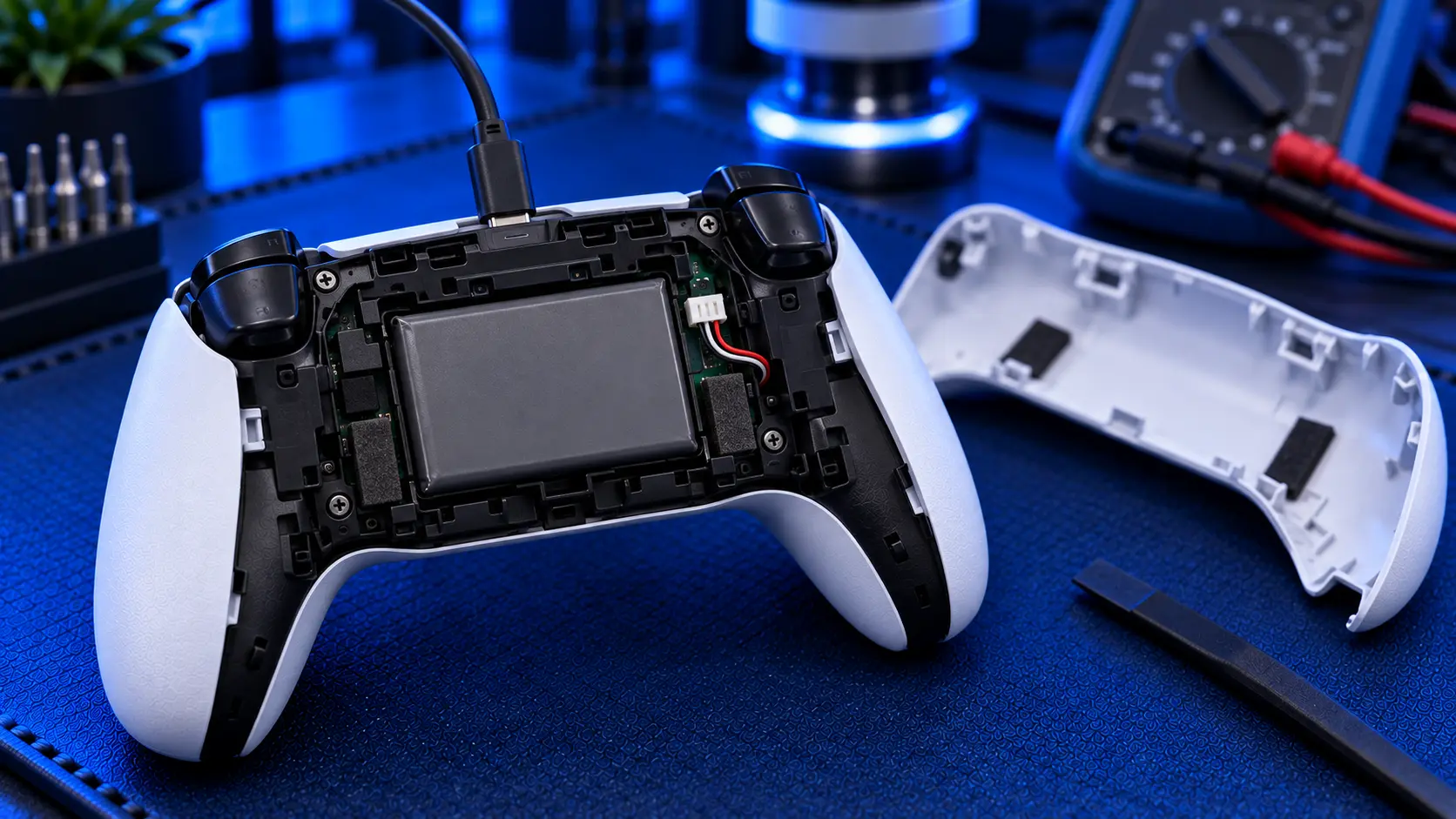
If your PS5 controller seems to die halfway through an evening, you're not imagining it. The DualSense has never had a long battery life, and it gets noticeably shorter as the controller ages. Some of that is down to settings you can change for free. The rest is down to the battery itself wearing out, and no setting fixes that.
Here's how to tell the two apart.
Why the DualSense uses so much power
The DualSense does a lot more than older controllers did. The haptic motors produce detailed vibration rather than a simple rumble, the adaptive triggers use small motors to push back against your fingers, and the light bar and player indicators are lit the whole time the controller is on. All of that runs from a fairly small battery built into the controller.
That's why battery life varies so much from game to game. A game that makes heavy use of haptics and trigger effects will drain the controller far faster than a simple game that barely uses them.
Settings that help
These won't fix a worn battery, but they'll stretch a healthy one, and they're worth setting regardless. On the PS5, go to Settings, then Accessories, then Controllers:
Vibration Intensity: turning it down from Strong to Medium or Weak makes a real difference
Trigger Effect Intensity: the adaptive trigger motors are power-hungry, and lowering or turning this off saves battery
Brightness of Controller Indicators: set it to Dim
It's also worth setting the controller to switch off when you're not using it. Under Settings, then System, then Power Saving, you can set a time for controllers to turn off automatically. That stops a controller you've put down from quietly draining overnight.
If you try all of this and the controller still dies quickly, the settings were never the problem.
Signs the battery itself is worn
Every lithium-ion battery loses capacity as it's charged and discharged, and the DualSense battery is no exception. After a couple of years of regular use, many controllers hold far less charge than they did when new. The signs are usually clear:
It runs flat much faster than it used to, with the same games and the same settings
It won't hold a charge overnight, going from full to low while switched off
It switches off mid-game while the battery indicator still shows some charge left
The battery level drops in jumps rather than going down steadily
It only works while plugged in
That last one is worth a closer look, because it can also be a charging port fault. If the controller only charges when the cable is held at an angle, or the cable feels loose, the port is the more likely cause. I've covered how to tell them apart in PS5 controller not charging: port, battery or cable.
Can you replace the battery yourself?
You can, and replacement batteries are easy to find online. But it isn't a five-minute job. The DualSense has to be fully opened, and there are ribbon cables inside that tear easily if they're pulled at the wrong angle. The adaptive trigger assemblies have to come out without damage, and the battery connector is small and easy to break. A damaged ribbon cable turns a cheap battery job into a much bigger repair.
Quality matters too. Batteries sold online vary a lot, and the cheapest aren't always what their label claims. If you're confident with small electronics, it's a manageable job. If you're not, it's the sort of repair where a mistake costs more than the saving.
What a battery replacement involves
A PS5 controller battery replacement with me is £29 all-in, including the battery and tracked return postage. I open the controller, fit a new battery of the correct type, and check the charging behaviour and the whole controller before posting it back. The old battery is recycled responsibly, because lithium batteries shouldn't go in household waste.
When your controller arrives, I check that the battery is actually the fault. If it turns out to be the charging port, I'll tell you before doing any work. The charging port repair is the same £29. Every repair is covered by a no-fix-no-fee promise and a 12-month warranty, and the controller is posted to me with its battery installed, which is perfectly normal.
Is it worth it?
A new DualSense costs around £60 or more. If the rest of your controller is in good shape, with no stick drift and responsive buttons, a new battery gives it a proper second life for about half the price. If the sticks are drifting too, mention it when you book, and the stick drift repair can be done in the same visit.
My recommendation
Change the vibration, trigger and light settings first, because they cost nothing and they help every controller. If it still barely lasts an evening, and especially if it's more than a couple of years old, the battery is worn out. A new one fixes that properly, and no setting will. Just make sure it's really the battery, not the port, before you pay for anything. The symptoms above will usually tell you.
The Repair Works is an independent UK repair service, run by me, Paul — 25 years of hands-on repair experience, working by post for customers across the whole country. Not affiliated with or endorsed by Sony.


