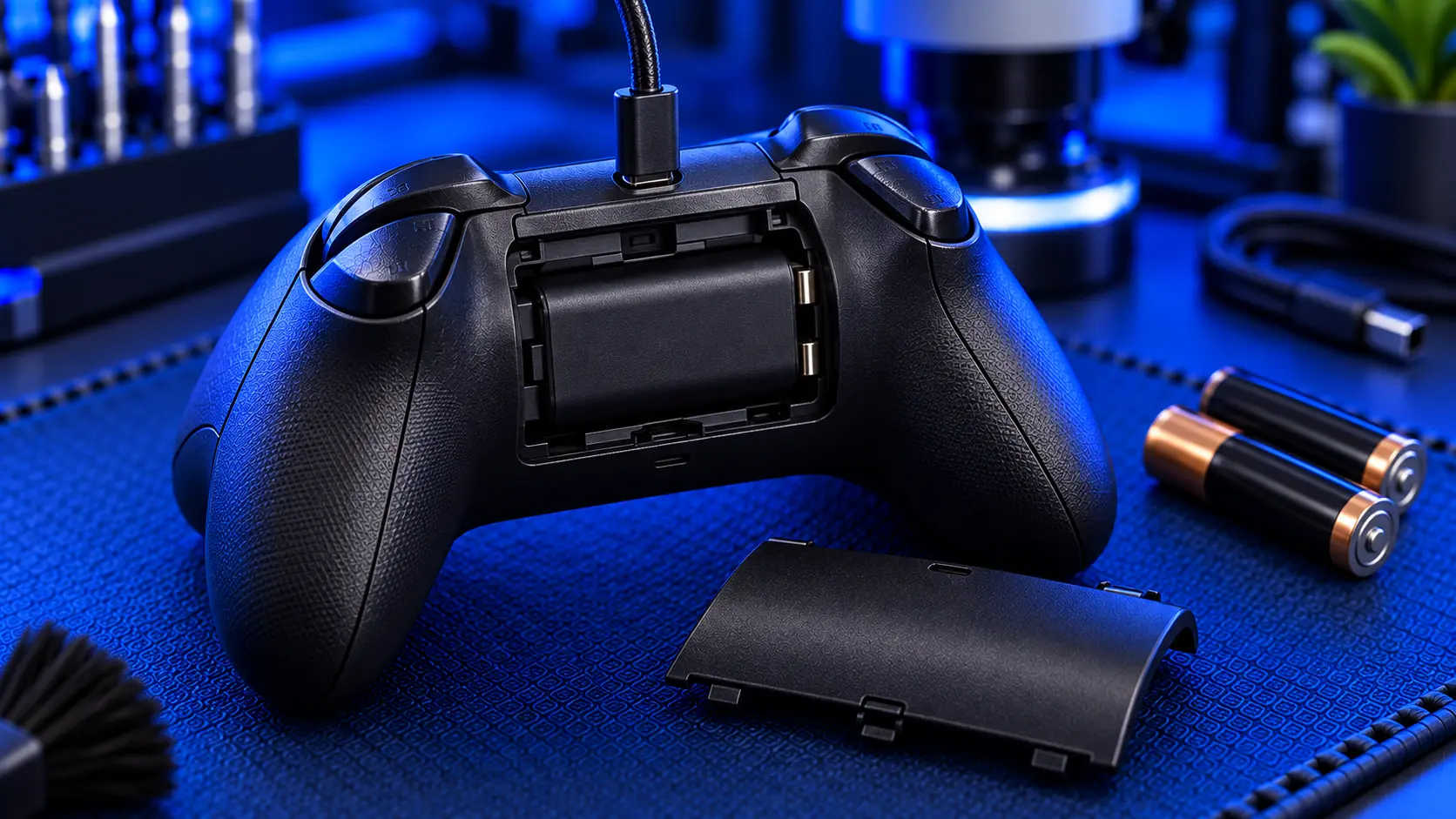
"My Xbox controller won't charge" is one of the most common Xbox controller problems. Before anything else, it helps to know something that surprises a lot of people: an Xbox controller doesn't really charge on its own. It runs on AA batteries, and when you "charge" it, you're charging a separate rechargeable battery pack clipped into the back.
That changes everything about how you diagnose it, because the fault is very often in the battery pack or the contacts rather than the controller. Here's how to work out what's actually wrong.
How an Xbox controller is powered
Xbox Series X|S and Xbox One controllers take two AA batteries in a compartment on the back. Many people replace those with a rechargeable pack, such as Microsoft's Play & Charge Kit or a third-party equivalent. The pack slots into the same compartment and charges when you plug a cable into the controller.
So when "charging" fails, there are four possible culprits:
The cable or power source
The rechargeable battery pack
The battery contacts inside the compartment
The controller's USB port, which is USB-C on Series X|S controllers
Only the last one is a fault in the controller itself.
Start with the free checks
Try fresh AA batteries. This is the most useful test there is. Take out the rechargeable pack and put two new AA batteries in. If the controller works perfectly on AAs, it's healthy, and the problem is the pack, the charging, or the port.
Try a different cable and power source. Use a cable you know works, and plug it into a different USB port or a wall plug. Cables fail at the plug end long before they look damaged.
Inspect the battery contacts. Look at the metal contacts in the battery compartment. If AA batteries have ever leaked in there, you may see white or green crusty corrosion, which stops batteries and packs making contact. You can often clean light corrosion carefully with a cotton bud and a little isopropyl alcohol. Bent contacts that no longer press against the battery are another common fault.
Try the pack in another controller. If you've got a second controller, swap the rechargeable pack across. If the pack won't charge or hold charge in either controller, the pack is worn out. Rechargeable packs lose capacity with age like any battery, and replacing one costs less than any repair.
Check the port for debris. Shine a torch into the controller's USB port. Lint packed into the port stops the cable seating fully. Ease it out with a wooden toothpick, never anything metal.
Signs it really is the port
If the controller works on fresh AAs, the pack is fine in another controller, and the cable is good, but it still won't charge or connect by cable, the port is the likely fault. The classic signs are:
It charges only with the cable held at a certain angle
The cable feels loose, wobbles or drops out
It won't connect to the console or a PC by cable
Charging starts and stops as the cable moves
The port looks bent or damaged
The port takes the strain of being played while plugged in, and over time the connection works loose.
What the repair involves
An Xbox controller charging port repair with me is £29 all-in, including parts and tracked return postage. This covers Xbox Series X|S controllers, which have a USB-C port. Older Xbox One controllers use a micro-USB port, so please get in touch first if you've got one of those.
The Series USB-C port can't be fitted properly with a soldering iron alone. It needs a hot air station, which is how I do it. Once the new port is in, I test charging, the wired connection and the full controller before posting it back. Every repair is covered by a no-fix-no-fee promise and a 12-month warranty. If damage around the port means it can't be repaired, I refund what you paid, less return postage.
Don't forget the rest of the controller
If your controller has other niggles, such as a bumper that won't click, a trigger that won't register or sticky buttons, mention them when you book. It's much cheaper to sort everything in one visit than to post it twice.
My recommendation
Put fresh AA batteries in before anything else. That one test tells you whether the controller itself has a problem at all. More often than not, a "won't charge" Xbox controller turns out to have a worn battery pack or dirty contacts, and both are cheap to sort yourself. If the controller works on AAs but the cable connection is loose or intermittent, the USB-C port has worn, and replacing it is a straightforward bench repair.
The Repair Works is an independent UK repair service, run by me, Paul — 25 years of hands-on repair experience, working by post for customers across the whole country. Not affiliated with or endorsed by Microsoft.


