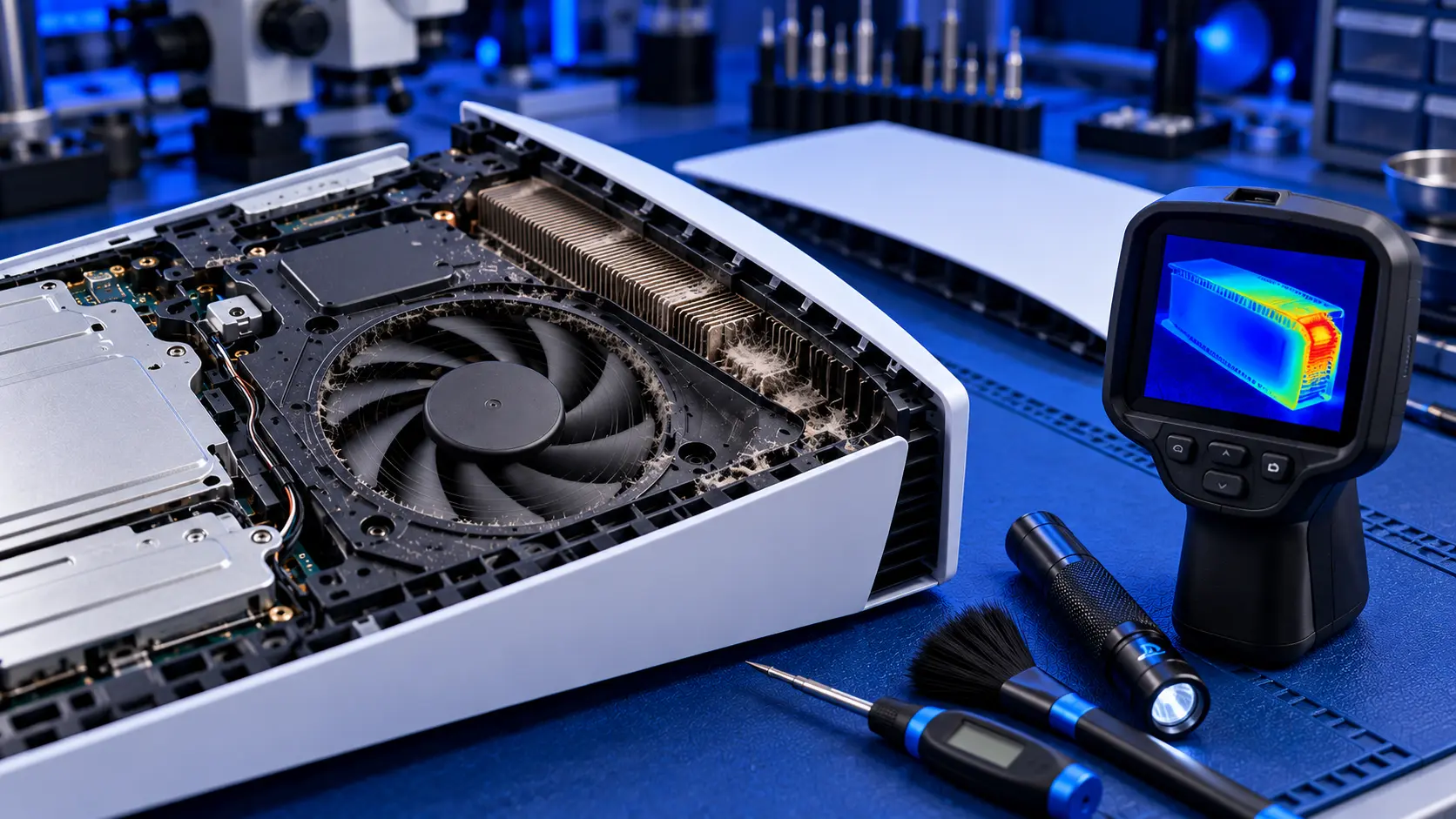
A PS5 is a powerful machine in a relatively small box, and it's designed to get warm. The air coming out of the back during a game should feel warm, and the fan should speed up when a game works it hard. None of that is a fault.
Overheating is different. It's when the console can't get rid of heat fast enough: the fan roars even in the menus, a warning appears saying the PS5 is too hot, or the console switches itself off partway through a game. Sometimes the fix costs nothing. Sometimes the problem is inside the console. Here's how to tell the difference, cheapest checks first.
Is it actually overheating?
It's worth being sure before you change anything. These are the signs of a PS5 that's genuinely struggling with heat:
- A warning on screen that the console is too hot, telling you to turn it off and let it cool down
- The fan is loud all the time, not just in demanding games
- It shuts down after a while of playing, often in the same demanding games, and usually after the fan has been loud for some time
- It has got worse over months. Heat problems tend to build gradually as dust collects.
If your PS5 switches off instantly, at random, in the menus or straight after you turn it on, that pattern points more towards a power fault than heat. I cover how to tell them apart in PS5 turning off by itself.
1. Give it room to breathe
This is one of the most common causes of a PS5 running hot that isn't dust. Sony's own safety guide is clear about placement. It says to keep the console at least 10 cm away from a wall, not to put it on a carpet or rug with long fibres, not to put it in a narrow or cramped space, not to cover it with cloth, and not to use it in a closed cabinet or anywhere heat can build up.
In practice, that means:
- No closed TV cabinets. A cupboard with a door shut, or a tight shelf with a back panel, traps the hot air the PS5 pushes out, and the console ends up breathing its own exhaust.
- Space at the back and sides. The PS5 pulls air in through the front and sides and pushes hot air out of the back. A console pushed against a wall can't get rid of it.
- Off the floor if you can. A console on a carpet or rug pulls in fibres and dust much faster.
- Nothing on top or against it. Games, controllers and cloths all block airflow.
If your console lives in a cabinet, try running it out in the open for a few days. If the fan noise and warnings stop, you've found the problem.
2. Check the room
A PS5 relies on the air around it to cool down, so the room makes a difference. A console next to a radiator, in direct sunlight, or in a small room on a hot summer's day has a harder job. If the problem only shows up on hot days, or when the heating is on, the room may be part of the story.
3. Vacuum the vents
Sony's safety guide also says not to let dust build up on the vents, and suggests a vacuum cleaner to remove it. With the console turned off and unplugged, run a vacuum with a brush attachment gently over the vents on the front, sides and back.
Avoid blowing compressed air into the vents. It tends to push dust further into the console rather than getting it out, and it can spin the fan much faster than it's meant to run.
4. Empty the dust catchers (original PS5)
The original PS5 has two dust catchers under its side cover: holes that Sony designed so you can vacuum out dust without opening the console. Take the stand off, lift off the side cover, and vacuum the two holes gently with a narrow attachment. I walk through it in how to clean a PS5.
5. Use the stand, either way up
Sony supports the PS5 both vertically and horizontally, and both work fine for cooling, as long as the console is on its stand and has space around it. What matters is that it's stable and the vents aren't blocked. If you've read worries about standing a PS5 upright because of its liquid metal, I cover that in PS5 liquid metal explained.
6. Install any system update
Go to Settings, then System, then System Software, and install any update that's waiting. It won't fix a console packed with dust, but it's free, it rules out software, and Sony has adjusted how the console manages its fan through updates before.
Signs the problem is inside the console
If you've given it space, vacuumed the vents and emptied the dust catchers, and it still runs hot, the problem is almost certainly inside. These signs point that way:
- The warning or shutdowns keep coming back even with the console in the open
- The fan is loud from the moment you switch on, even on the home screen
- The console is a few years old and has never been opened. Dust gets past the dust catchers and builds up on the heatsink fins, behind the fan, where you can't reach it without taking the console apart.
- The fan grinds, rattles or ticks as well as being loud. That can mean the fan itself is wearing. PS5 fan loud covers the different noises.
The part you can't reach is the heatsink: a block of thin metal fins that the fan pushes air through. Dust builds up on the side where the air goes in, and after a few years it can form a layer like the fluff in a tumble dryer filter. Air can't get through it, and no amount of vacuuming at the vents will shift it.
What the repair involves
A PS5 overheating repair with me is £69 all-in, including parts and tracked return postage, for the original PS5, the Slim or the Pro. I strip the console down, clean the fan, heatsink fins and dust catchers, and check the liquid metal between the processor and the heatsink. Where it has dried, oxidised or moved, I clean it off and apply fresh. Dried thermal putty is replaced where needed. Then I test it for an hour running a demanding game before it's posted back.
If the fan itself is worn, I'll quote for a replacement before fitting one. If the shutdowns turn out not to be heat at all, I'll tell you what I've found and quote, and if you'd rather not go ahead, it's no fix, no fee: I refund what you paid, less return postage. The work is covered by a 12-month warranty. For how that compares with other repairers, see PS5 overheating repair cost in the UK.
Common questions
Is it normal for a PS5 to get hot?
It's normal for a PS5 to get warm, and for the air from the back to feel warm during a game. It's not normal for the fan to roar in the menus, for a too hot warning to appear, or for the console to switch itself off.
Can overheating damage a PS5?
The console has protections built in. The warning and the shutdown are the PS5 protecting itself. But Sony's safety guide says continued use while it's too hot may lead to damage or malfunction, so it's worth sorting out rather than living with.
Should I put a fan or a cooling stand on my PS5?
Most add-on cooling fans don't help much, and some make things worse by fighting the console's own airflow. Space around the console and a clean heatsink do far more. I'd spend the money on getting it cleaned instead.
My recommendation
Start with where the console lives: give it space, get it out of any closed cabinet, keep it off the carpet, vacuum the vents, and empty the dust catchers if it's an original PS5. Those checks cost nothing and they solve a real share of overheating problems. If it still runs hot after that, especially if it's a few years old and has never been opened, the dust is inside, on the heatsink, and it needs a proper strip-down clean. When you're ready, how to pack a PS5 for posting will help it arrive safely.
The Repair Works is an independent UK repair service, run by me, Paul — 25 years of hands-on repair experience, working by post for customers across the whole country. Not affiliated with or endorsed by Sony.


