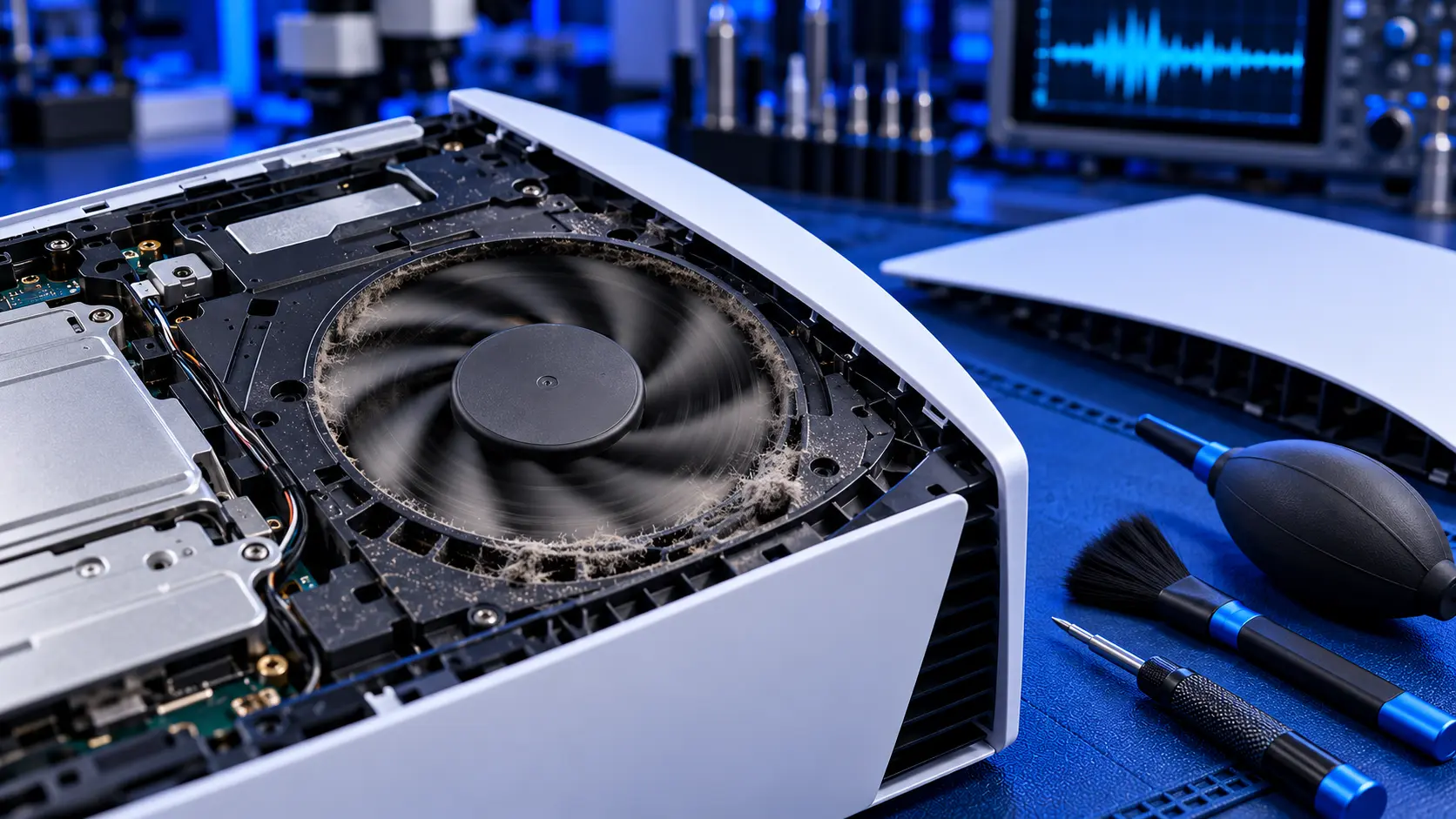
When the PS5 launched, one of the things people noticed was how quiet it was. So when yours starts to sound like a jet engine, it's hard to ignore. Sometimes a loud fan is the console doing exactly what it should. Sometimes it's a sign that the console is struggling, or that the fan itself is wearing out.
Here's how to tell which, and what to do about each.
How the PS5 fan is supposed to behave
The PS5 has one large fan that pulls air through the console and over a heatsink, a block of metal fins that draws heat away from the processor. The console controls the fan speed itself. There's no setting to change it.
That means the fan should change with what you're doing:
- Quiet in the menus, streaming apps and light games. You may barely hear it.
- Louder in demanding games, especially big open-world games at high settings. A steady whoosh that rises and settles is normal.
- Louder in a warm room. The same game can make the fan work harder in summer than in winter.
- Some games are simply louder than others. A handful of games are known for making the fan work hard on any PS5.
If yours is only loud in one or two demanding games, and quiet the rest of the time, it's probably normal.
Noises that point to a problem
Loud all the time, even in the menus. A fan that roars on the home screen is working much harder than it should. The usual cause is dust packed onto the heatsink fins, so the fan has to spin faster to push air through.
Louder and louder over the months. Dust builds up gradually, so the fan gets gradually louder. Many people don't notice until it's very loud, or until the console starts showing a too hot warning.
Rattling or buzzing. This often comes from something loose rather than the fan: a side cover that isn't clipped in properly, the stand, or a cable touching the case. Check those first. If it's inside, it can be debris that's got into the fan.
Grinding, scraping or ticking. A rough grinding or ticking that doesn't go away when the fan slows down can mean the fan's bearing is wearing, or that something is catching the blades. This is the one noise that can mean the fan itself needs replacing.
A high-pitched whine. Some PS5s make a faint high-pitched whine or buzz under load, often called coil whine. It comes from electronic components, not the fan, and it's usually harmless. It tends to be more noticeable in a quiet room.
Clicking from the front. If the noise comes from the disc drive rather than the fan, it's a different problem. See PS5 disc drive grinding or clicking.
What to check first
- Where the console lives. A console in a closed cabinet, close to a wall or on a rug breathes its own hot air, and the fan runs harder to compensate. Sony's safety guide says to keep it at least 10 cm from a wall and out of closed cabinets. Try it out in the open.
- The vents. With the console off and unplugged, vacuum the vents gently with a brush attachment. Don't blow compressed air in. It pushes dust further inside and can overspin the fan.
- The dust catchers. On the original PS5, there are two dust catcher holes under the side cover that you can vacuum out. How to clean a PS5 walks through it.
- The covers and stand. For a rattle, make sure both side covers are clipped in firmly and the stand is fitted properly.
- A system update. Install anything waiting under Settings, then System, then System Software.
If the fan is still loud after all of that, the dust is where you can't reach it: on the heatsink fins behind the fan. The free checks in PS5 overheating: what to check first go into more detail.
Why the fan gets louder over time
The PS5 moves a lot of air, and some dust always gets past the vents and the dust catchers. It settles on the side of the heatsink where the air goes in, and over a few years it can form a solid, felt-like layer across the fins. Air can't get through it easily, so the fan spins faster and faster to push the same amount of air. That's the noise you hear.
Pets, carpets, smoking and a console on the floor all speed this up.
Does the fan need replacing?
Usually not. Most loud PS5 fans are healthy fans working too hard. Once the heatsink is clean, they quieten down.
A fan that needs replacing usually gives itself away with a noise that isn't just loudness: grinding, ticking or wobbling that stays after the console has been cleaned. That's the bearing wearing out. It's less common, and it's something I check for on every service.
What the repair involves
A PS5 overheating repair with me is £69 all-in, including parts and tracked return postage, for the original PS5, the Slim or the Pro. I strip the console down, clean the fan, the heatsink fins and the dust catchers, check the liquid metal and refresh it where needed, and replace dried thermal putty where needed. Then I test it for an hour running a demanding game, checking that the fan settles to a sensible level before it's posted back.
If the fan's bearing is worn, I'll quote for a replacement fan before fitting one. If you'd rather not replace it, I still do the service and send it back, though the fan may stay noisy. The work is covered by a 12-month warranty.
Common questions
Can I change the PS5 fan speed?
No. The console controls the fan itself, and there's no setting for it. Sony has adjusted fan behaviour through system updates, so it's worth keeping the console up to date, but the real fix for a loud fan is airflow and a clean heatsink.
Is a loud PS5 fan bad for the console?
A loud fan on its own isn't damaging anything. It's a sign the console is working hard to keep cool. The risk is what comes next: if the dust keeps building up, the console may start showing too hot warnings or switching itself off.
Will a cooling stand make my PS5 quieter?
Rarely. Most add-on fans don't move air where the PS5 needs it, and some fight the console's own airflow. Space around the console and a clean heatsink make a far bigger difference.
My recommendation
If your PS5 is only loud in a few demanding games, that's normal. Leave it. If it's loud all the time, check where it lives first: get it out of any cabinet, give it space, and vacuum the vents and dust catchers. If it's still loud, the heatsink needs cleaning from the inside, and that usually brings the noise right down. A fan that grinds or ticks after cleaning is the one that needs replacing. When you're ready to send it in, how to pack a PS5 for posting will help it arrive safely.
The Repair Works is an independent UK repair service, run by me, Paul — 25 years of hands-on repair experience, working by post for customers across the whole country. Not affiliated with or endorsed by Sony.


