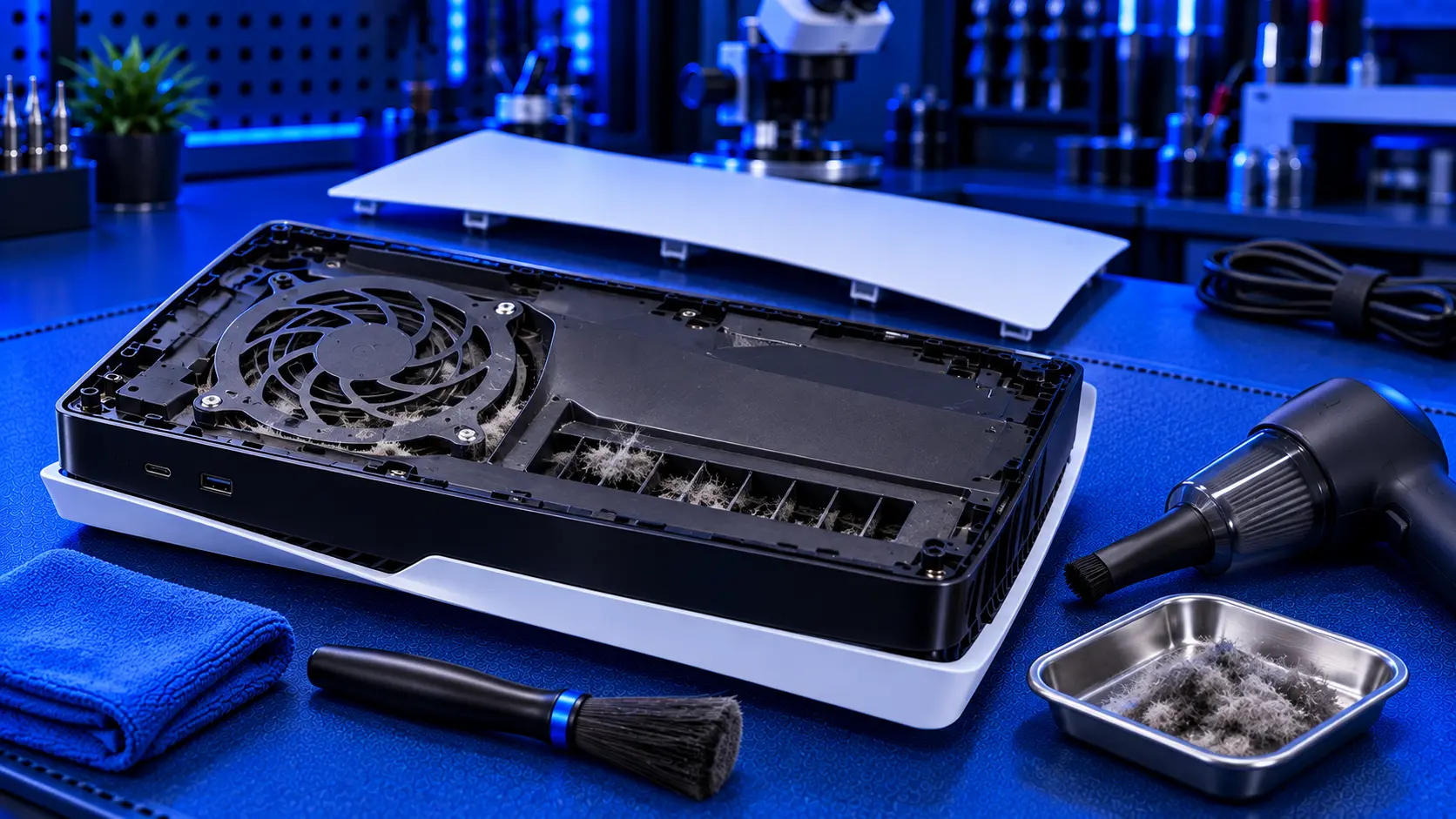
Dust is the main reason a PS5 gets loud and runs hot. The console pulls a lot of air through itself to stay cool, and some of the dust in that air stays behind. The good news is that you can do a lot to keep on top of it without taking anything apart. Sony even designed part of the original PS5 to make it easier.
Here's how to clean a PS5 safely, what not to use, and how to tell when it needs a proper clean inside.
How often to clean it
For most homes, a quick clean of the vents every month or two, and the dust catchers every few months, is plenty. Clean more often if:
- You have pets. Fur finds its way into consoles very quickly.
- The console sits on or near the floor, especially on carpet
- The room is dusty or someone smokes in it
- It's used for long sessions most days
What you need
- A vacuum cleaner with a brush attachment and a narrow nozzle attachment
- A soft, dry microfibre cloth
- A soft brush, such as a clean paintbrush or make-up brush
Leave out the compressed air, and anything wet.
Before you start
Turn the PS5 fully off, not into rest mode, and unplug it from the wall. Unplug the other cables too, and move it somewhere you can work on it. If it's been on recently, give it a few minutes to cool down.
1. Clean the outside and the vents
Run the vacuum's brush attachment gently over the vents on the front, the sides and the back of the console. Use the soft brush to loosen dust that's clinging to the vent slots, and vacuum it away as you go.
Sony's safety guide says not to let dust build up on the vents and suggests a vacuum cleaner, which is exactly this job.
Wipe the rest of the case with a dry microfibre cloth. If you need to shift a mark, lightly dampen the cloth with water, never spray anything onto the console, and make sure no moisture goes near the vents or ports.
2. Empty the dust catchers (original PS5)
The original PS5 has two dust catchers: holes under the side cover that lead to the areas where dust tends to collect. Sony designed them so you can vacuum out dust without opening the console.
- Remove the stand. If it's upright, undo the screw on the base and lift the stand away.
- Remove the side cover with the PlayStation logo. Lift the corner of the cover and slide it off. Sony's own instructions show the exact movement for your model.
- Find the two dust catcher holes near the fan.
- Vacuum them gently with the narrow nozzle.
- Refit the cover until it clicks into place all round, and refit the stand.
While the cover is off, you can gently vacuum around the fan intake too. Don't poke anything into the fan.
PS5 Slim and PS5 Pro
The Slim and Pro have a different case design, with covers that come off differently from the original. Check Sony's support guidance for your model before removing anything. Cleaning the vents from the outside, as in step 1, works on every model.
What not to do
- Don't blow compressed air into the vents. It pushes dust further in rather than getting it out, and it can spin the fan much faster than it's designed to run.
- Don't use liquids or sprays on or near the vents and ports.
- Don't poke anything into the vents or the fan. Cotton buds and cocktail sticks leave fibres behind and can damage the fan blades.
- Don't vacuum with the console switched on.
What you can't reach from the outside
Behind the fan sits the heatsink: a block of thin metal fins that the fan pushes air through to carry heat away from the processor. This is where most of the dust ends up. It collects on the side where air enters, and over a few years it can build up into a felt-like layer that blocks the airflow almost completely.
Vacuuming the vents and dust catchers slows that build-up, but it can't remove it once it's there. The only way to clean the heatsink properly is to take the console apart, remove the fan, and clean the fins directly.
Signs it needs a proper clean inside
- The fan is still loud after you've cleaned the vents and dust catchers
- It shows a too hot warning or switches itself off during games
- It's a few years old and has never been opened
- The fan grinds or ticks, as well as being loud
If your console is still under Sony's warranty, go through Sony before opening it up. Otherwise, a strip-down clean is the fix. If you're not sure whether yours needs it, PS5 overheating: what to check first and PS5 fan loud help you work it out.
Should you open it yourself?
You can, and plenty of people do. But it's a bigger job than it looks. The fan, the heatsink and the shielding all have to come out, and the processor underneath uses liquid metal rather than thermal paste. Liquid metal conducts electricity, and disturbing it carelessly can damage the console. I explain why in PS5 liquid metal explained.
What the repair involves
A PS5 overheating repair with me is a full strip-down clean for £69 all-in, including parts and tracked return postage, for the original PS5, the Slim or the Pro. I clean the fan, the heatsink fins and the dust catchers, check the liquid metal and refresh it where needed, and replace dried thermal putty where needed. Then the console runs a demanding game for an hour on my bench before it's posted back. The work is covered by a 12-month warranty.
My recommendation
Vacuum the vents every month or two, and empty the dust catchers every few months if you have an original PS5. It takes a few minutes and keeps the console quieter for longer. Skip the compressed air. If the fan stays loud after a clean, or the console starts showing too hot warnings, the dust has built up on the heatsink where you can't reach it, and a strip-down clean will sort it. When you're ready to send it in, how to pack a PS5 for posting will help it arrive safely.
The Repair Works is an independent UK repair service, run by me, Paul — 25 years of hands-on repair experience, working by post for customers across the whole country. Not affiliated with or endorsed by Sony.


