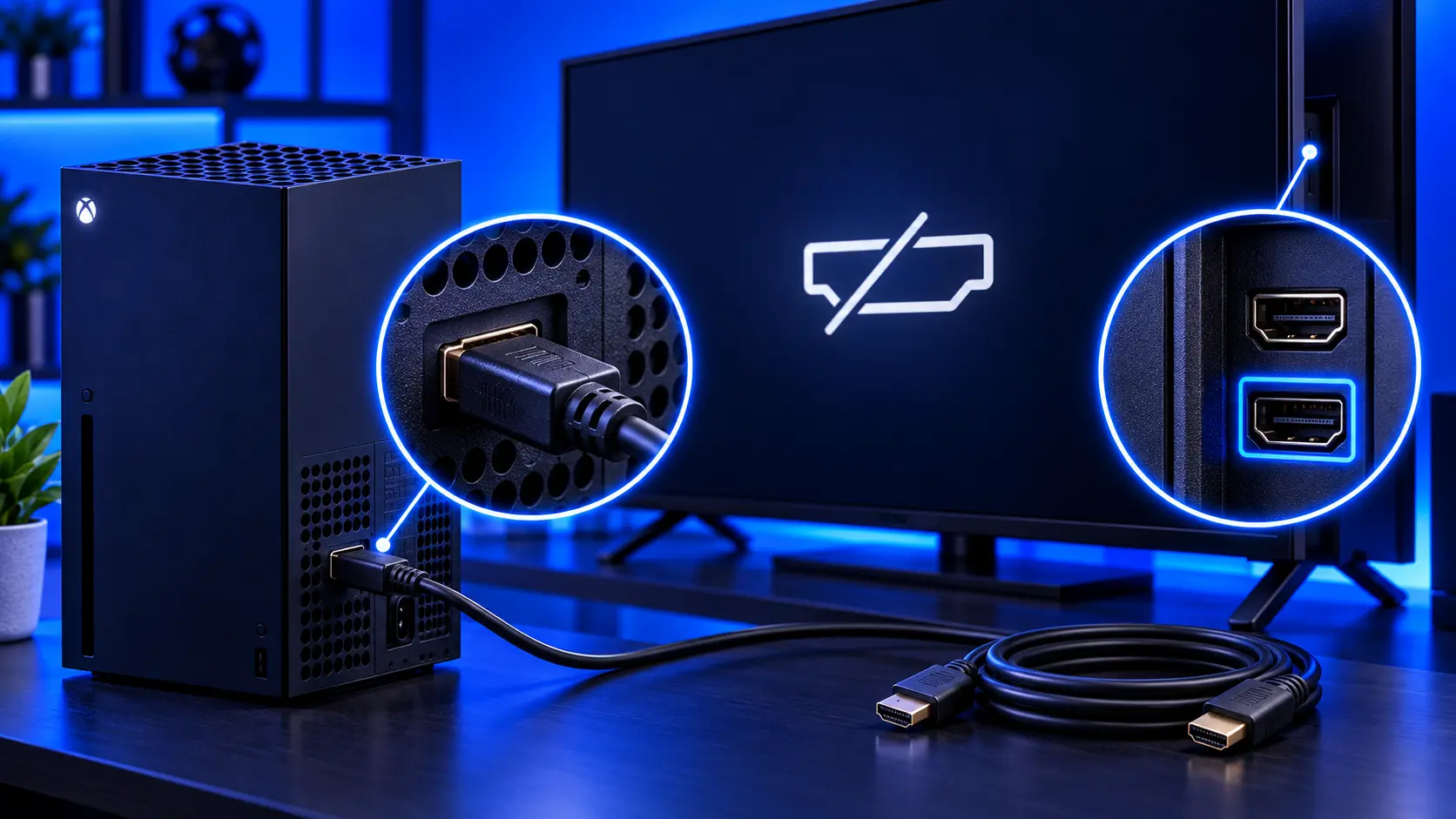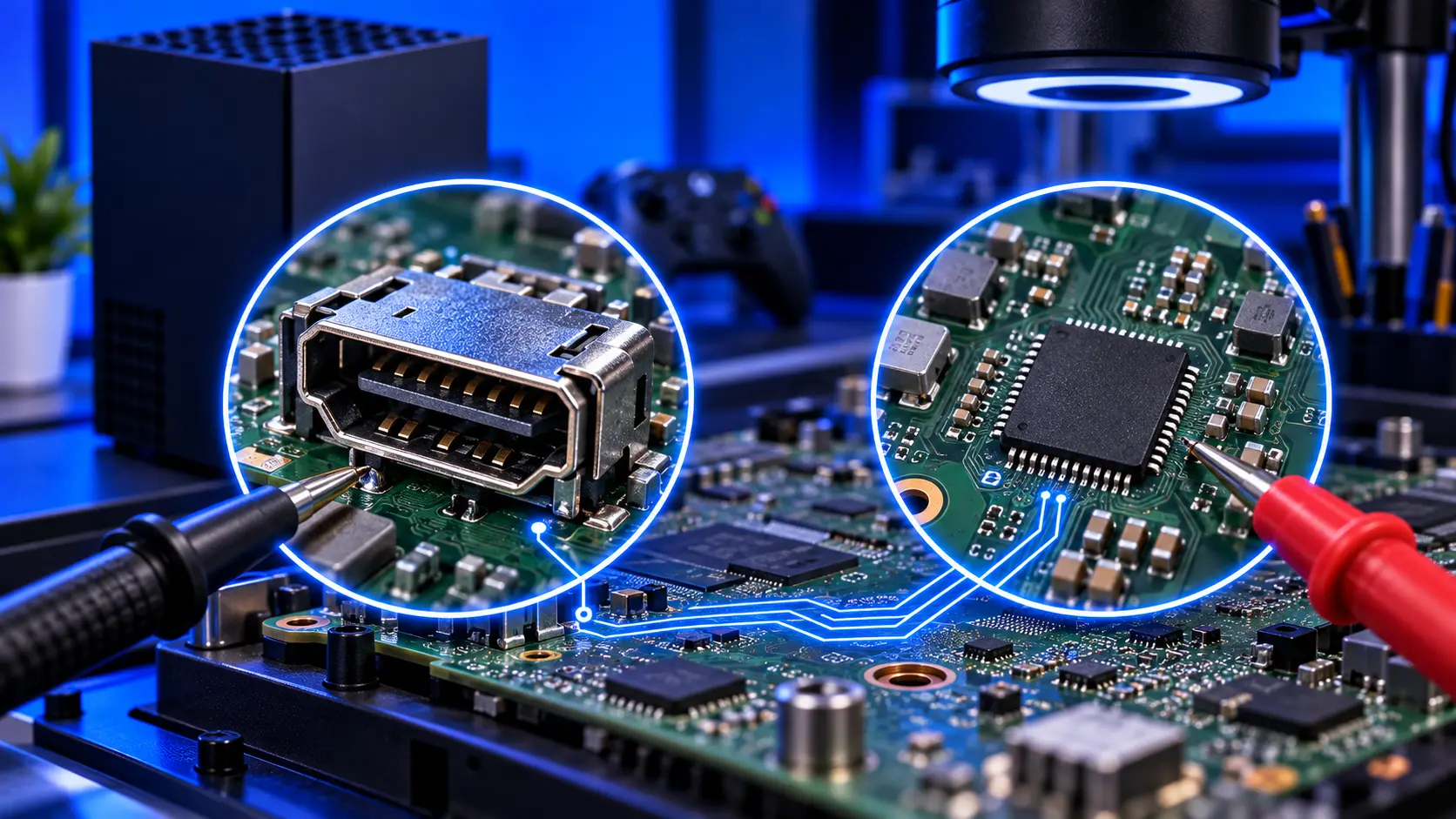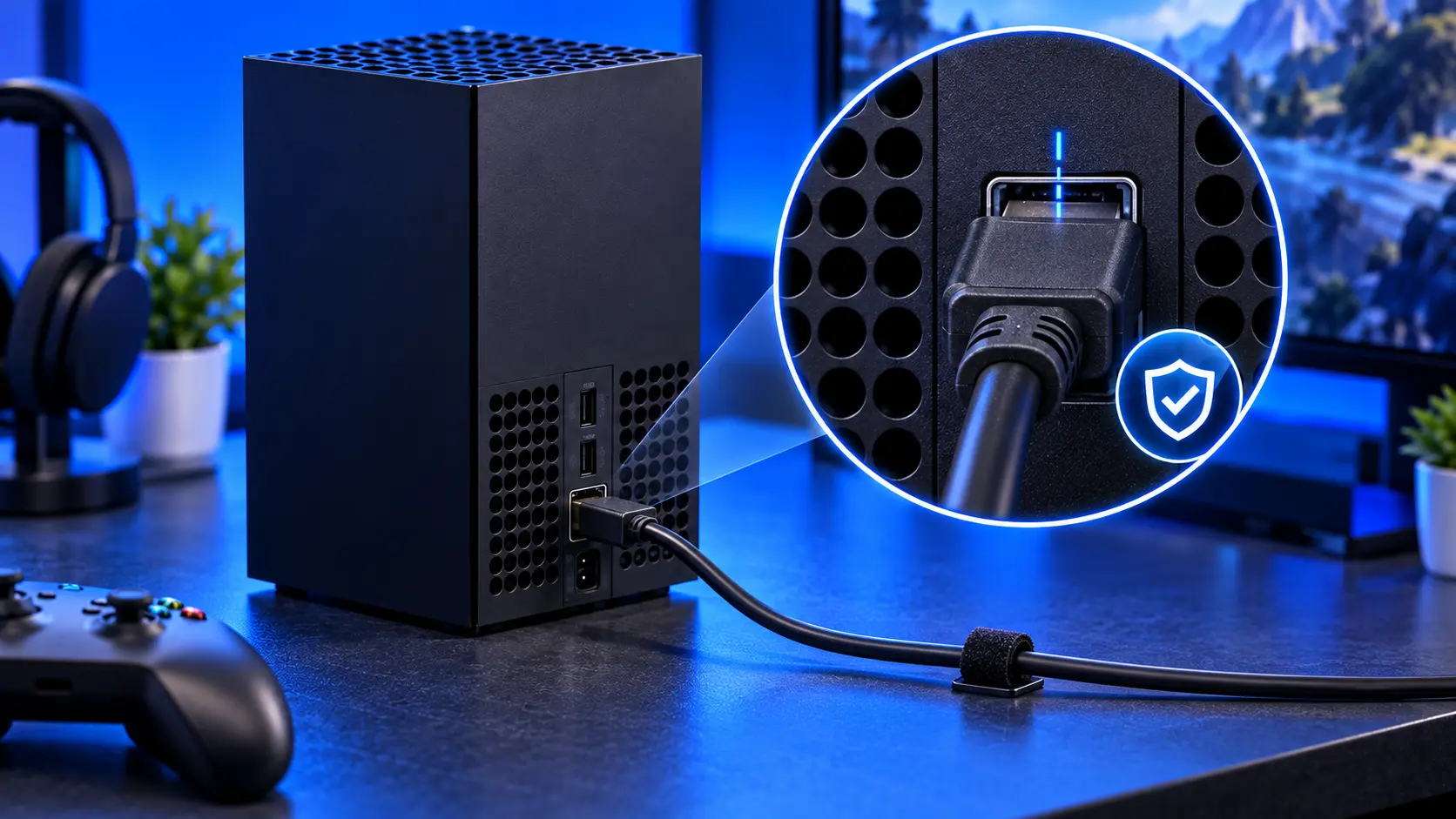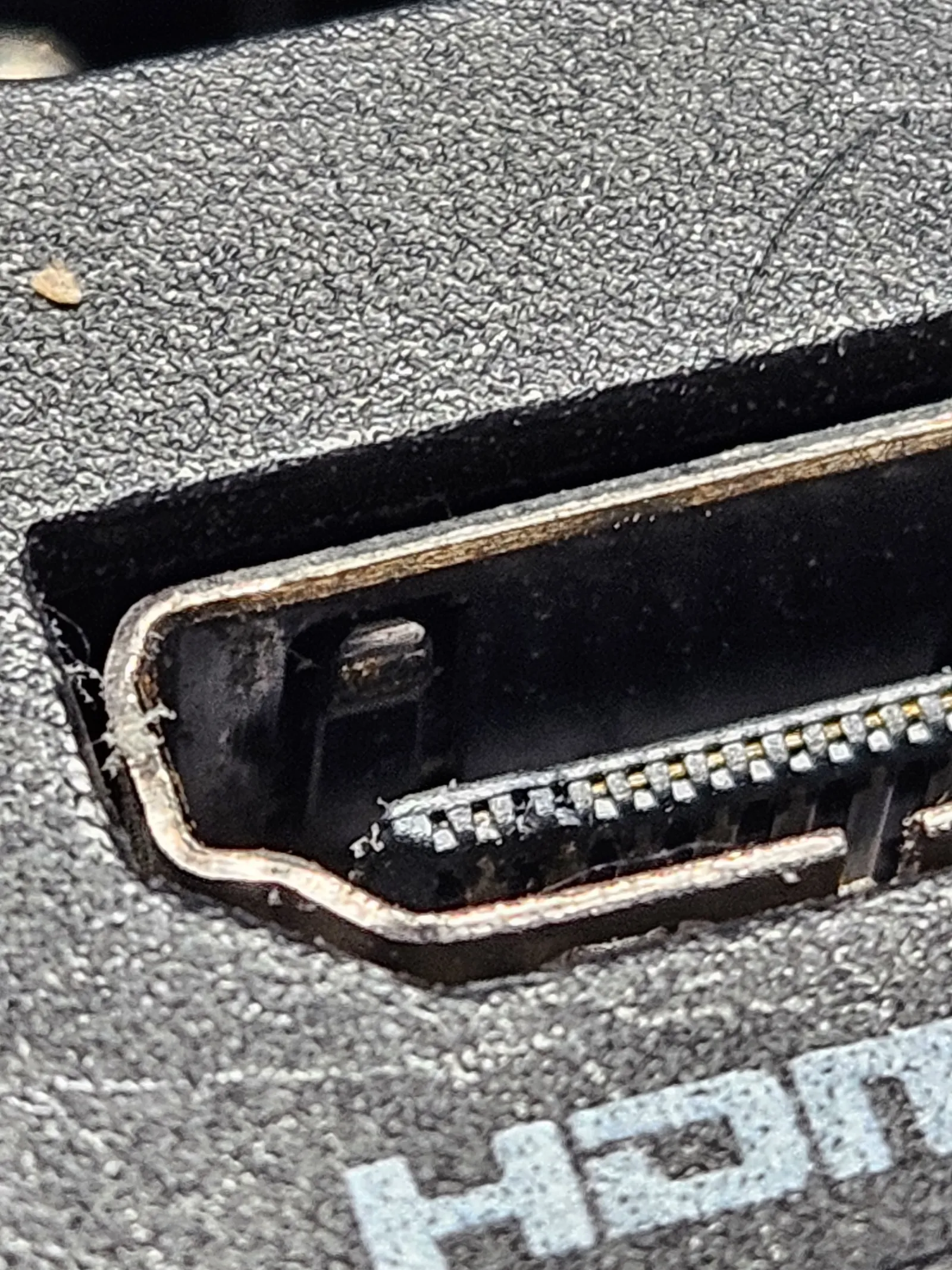
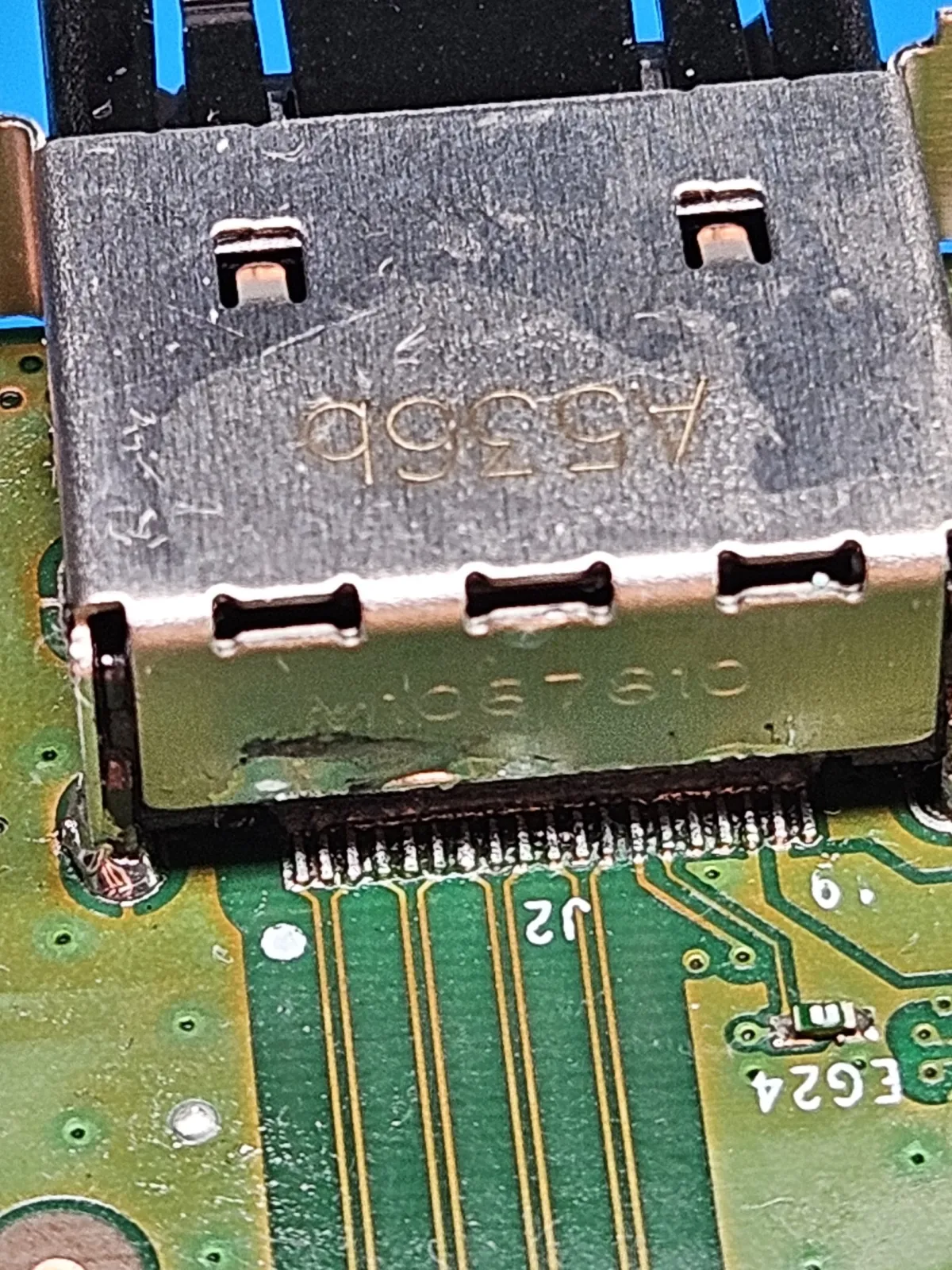
An Xbox HDMI port replacement is a bigger job than the small socket suggests. The port is soldered to the main board, so nothing can be swapped from the outside: the console has to come apart, and the board has to be heated with care. The photos here are from a Series X on my bench, and the Series S uses the same port part. The one at the top shows why it came in: a bent metal shell, debris in the socket and damaged pins.
Signs your Xbox HDMI port is broken
A damaged port usually shows up as one or more of these, with the console otherwise running normally:
- No signal on the TV, even though the console is on
- A picture only at an angle, when the plug is held or pushed a certain way
- A loose plug that wobbles, or won't stay in
- Flicker or dropouts, especially when the cable moves
A faulty cable or a TV setting can look much the same, and those cost little or nothing to rule out. Start with what to check when your Xbox has no signal.
What usually causes it
HDMI ports are built for a plug going straight in and out, not for a sideways pull. A cable gets caught or knocked, or the console gets moved with the cable still plugged in, and the force goes into the port. The solder joints can crack, the pins can bend, or the metal shell can lift. It's an easy thing to happen in any home. If you'd like to avoid a repeat, I've written up how to protect your Xbox HDMI port.
Why it's a board-level job
Here's the work, in the order it happens.
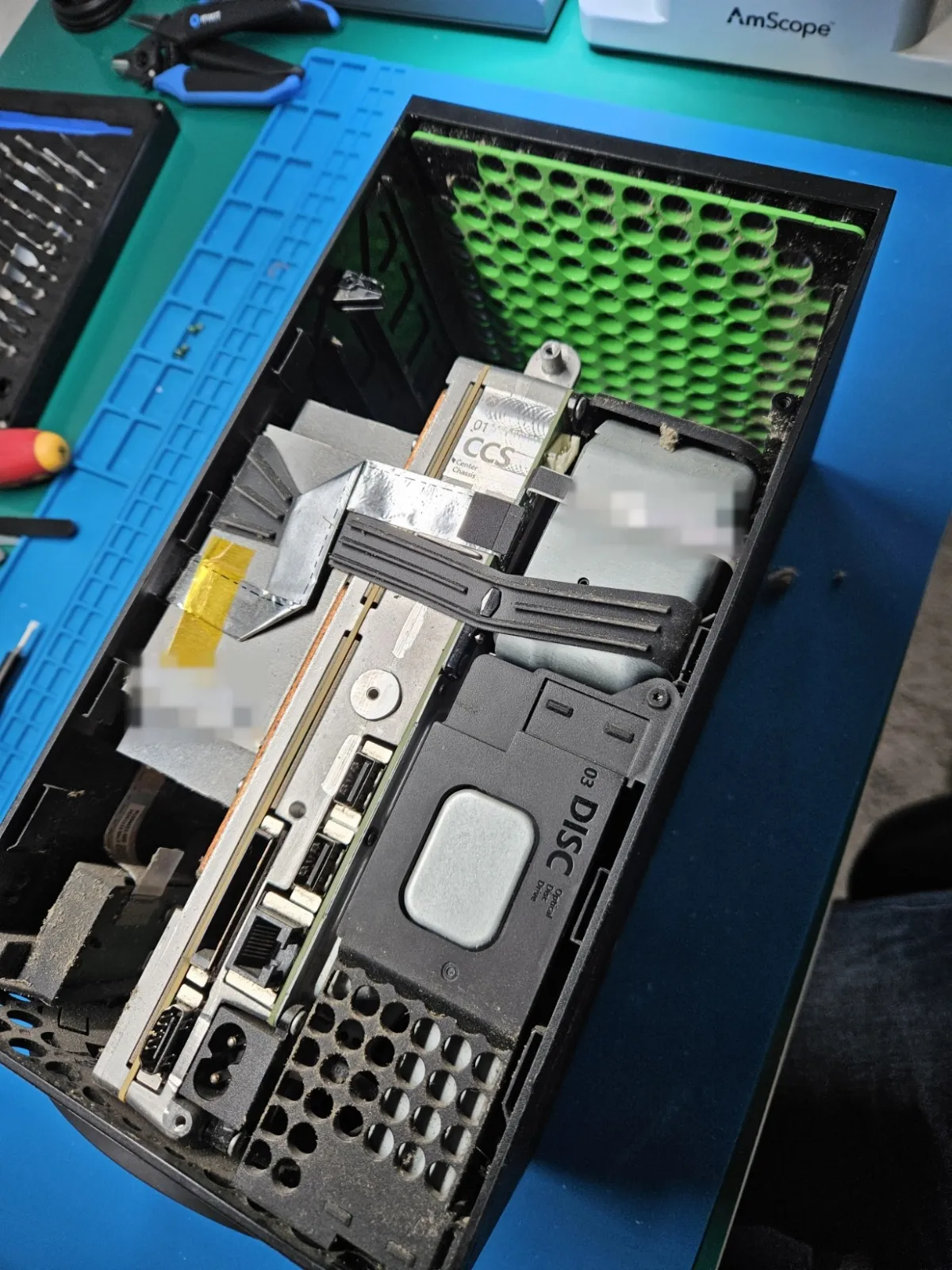
Stripping the console down
The port sits on the main board, deep inside the console, so the first job is getting to it. The outer shell comes off, then the parts built around the board, with every screw and bracket kept in order.
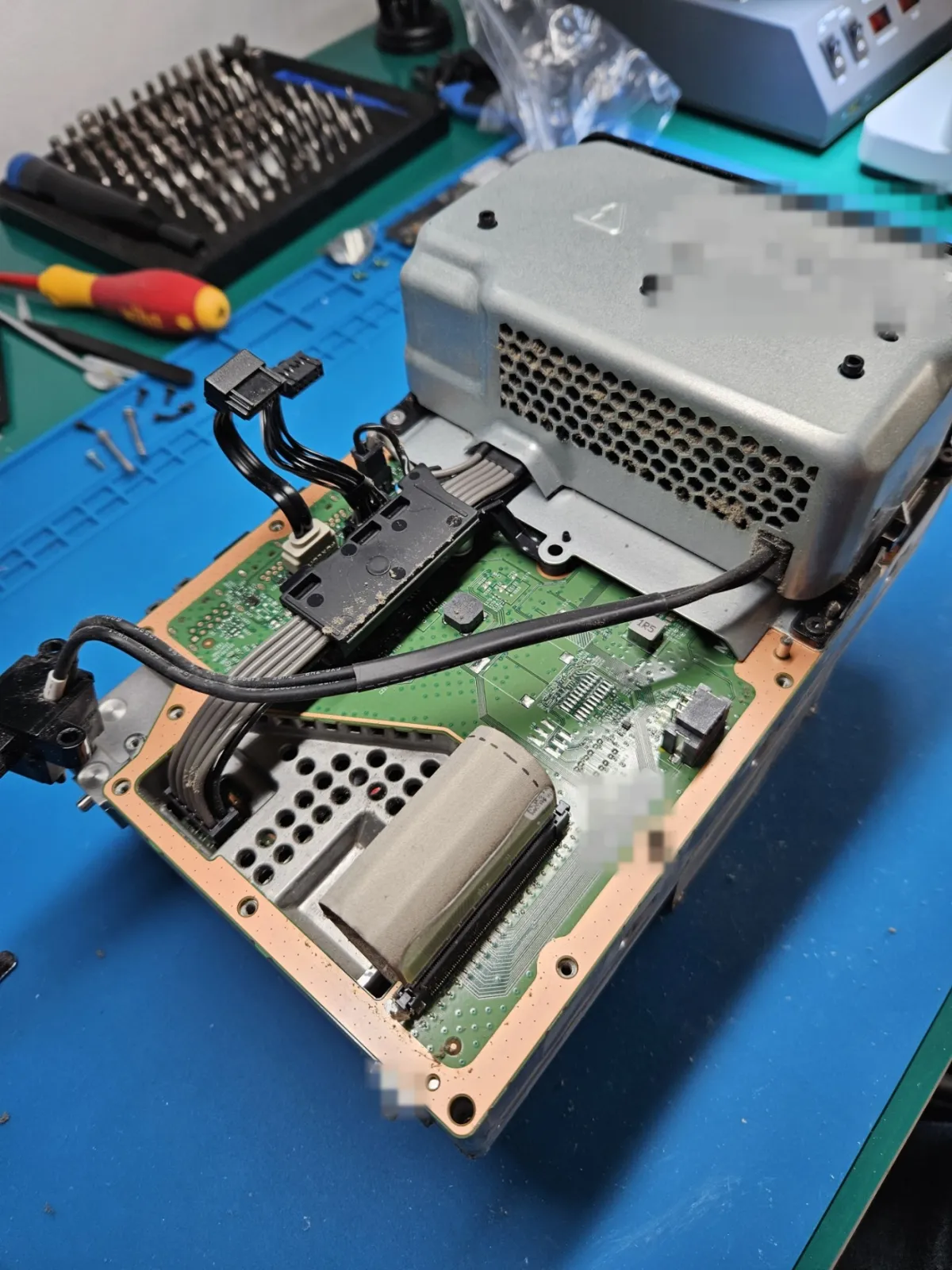
The power supply and its cables are next. They sit right over the board, so they have to be disconnected and lifted away.
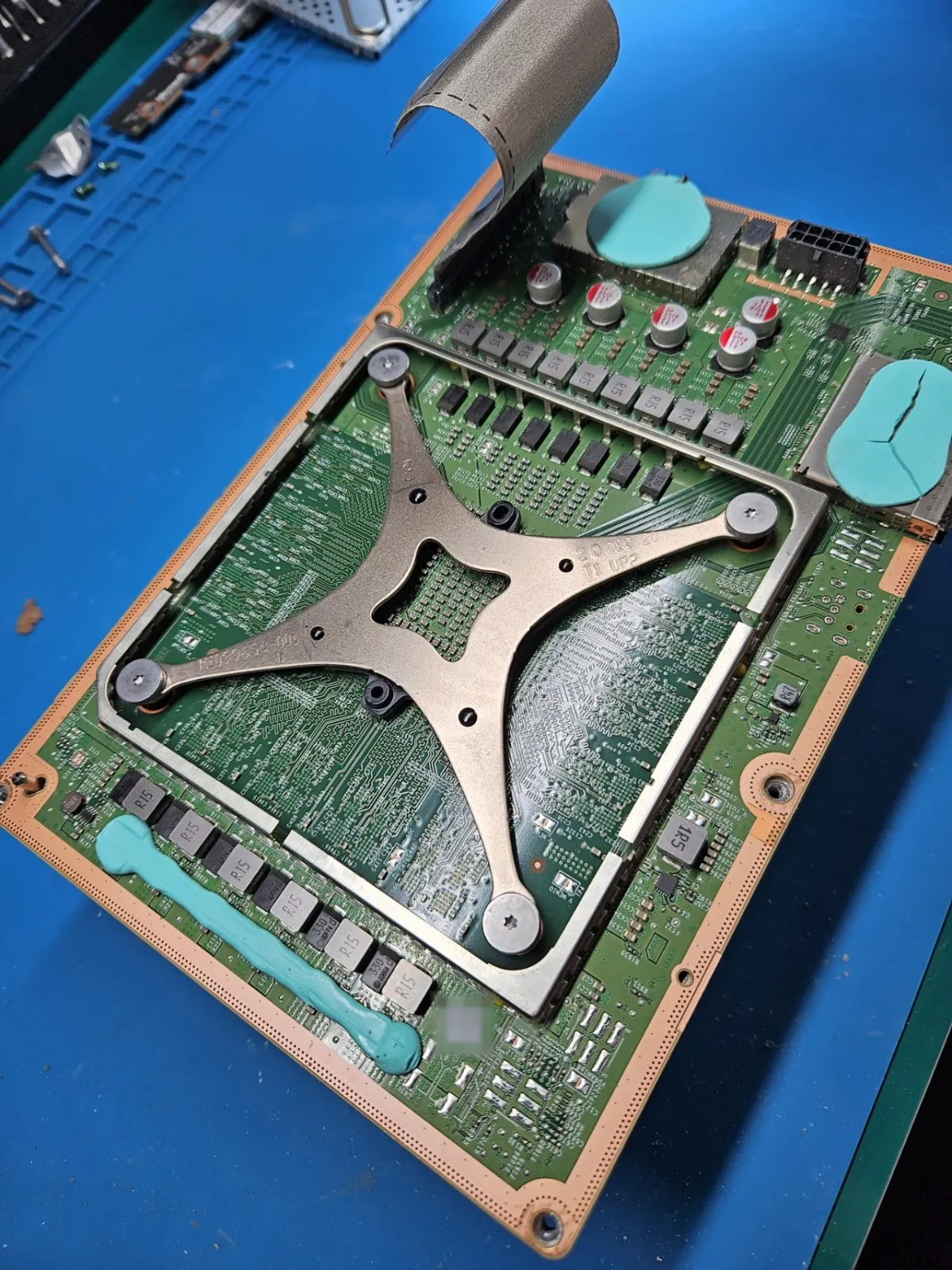
Getting the board out
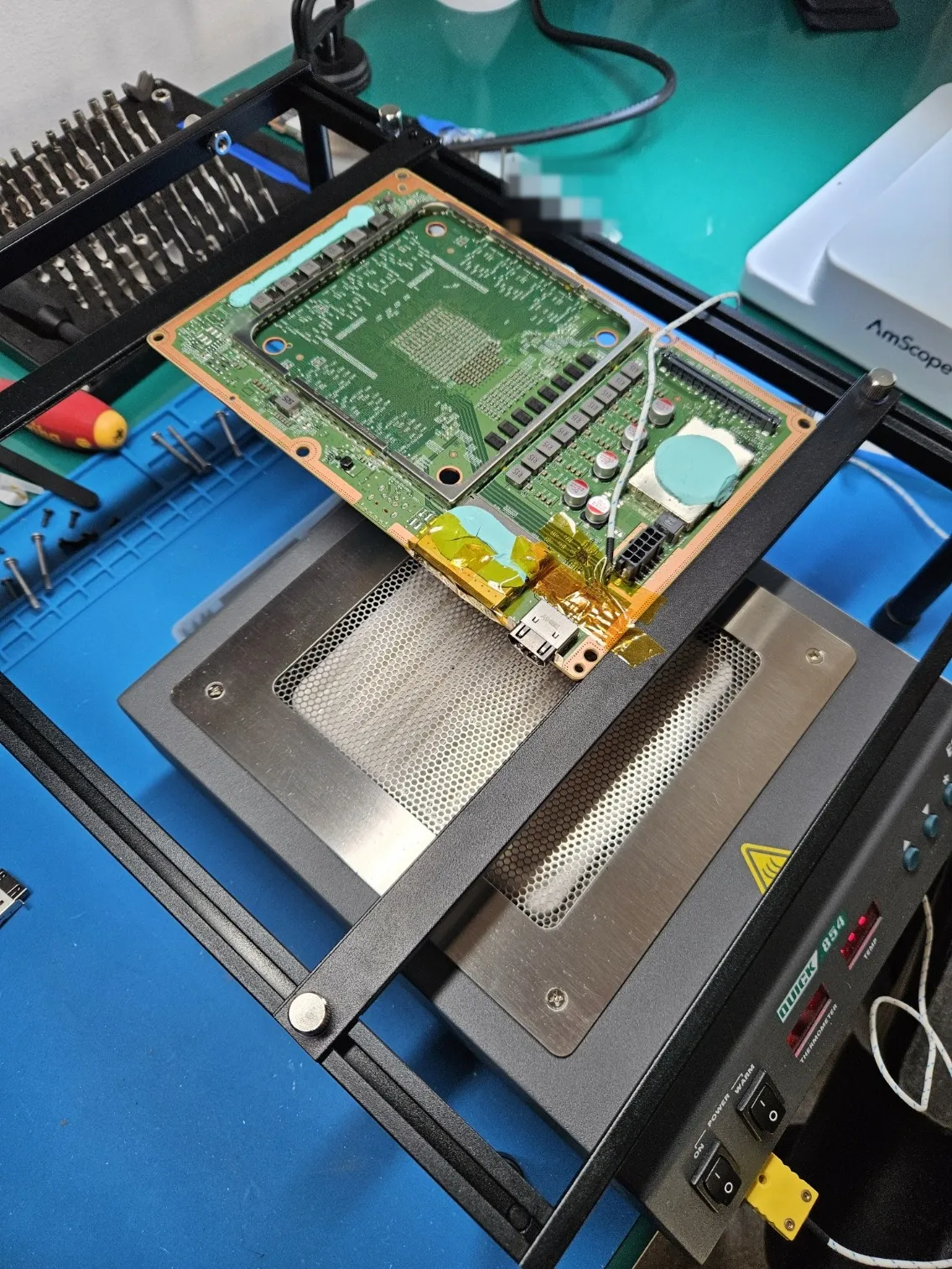
Once it's free, the board comes out with its metal X-clamp still in place. The blue thermal putty you can see carries heat from parts of the board into the metal frame. I reuse it if it's in good condition and replace it if not.
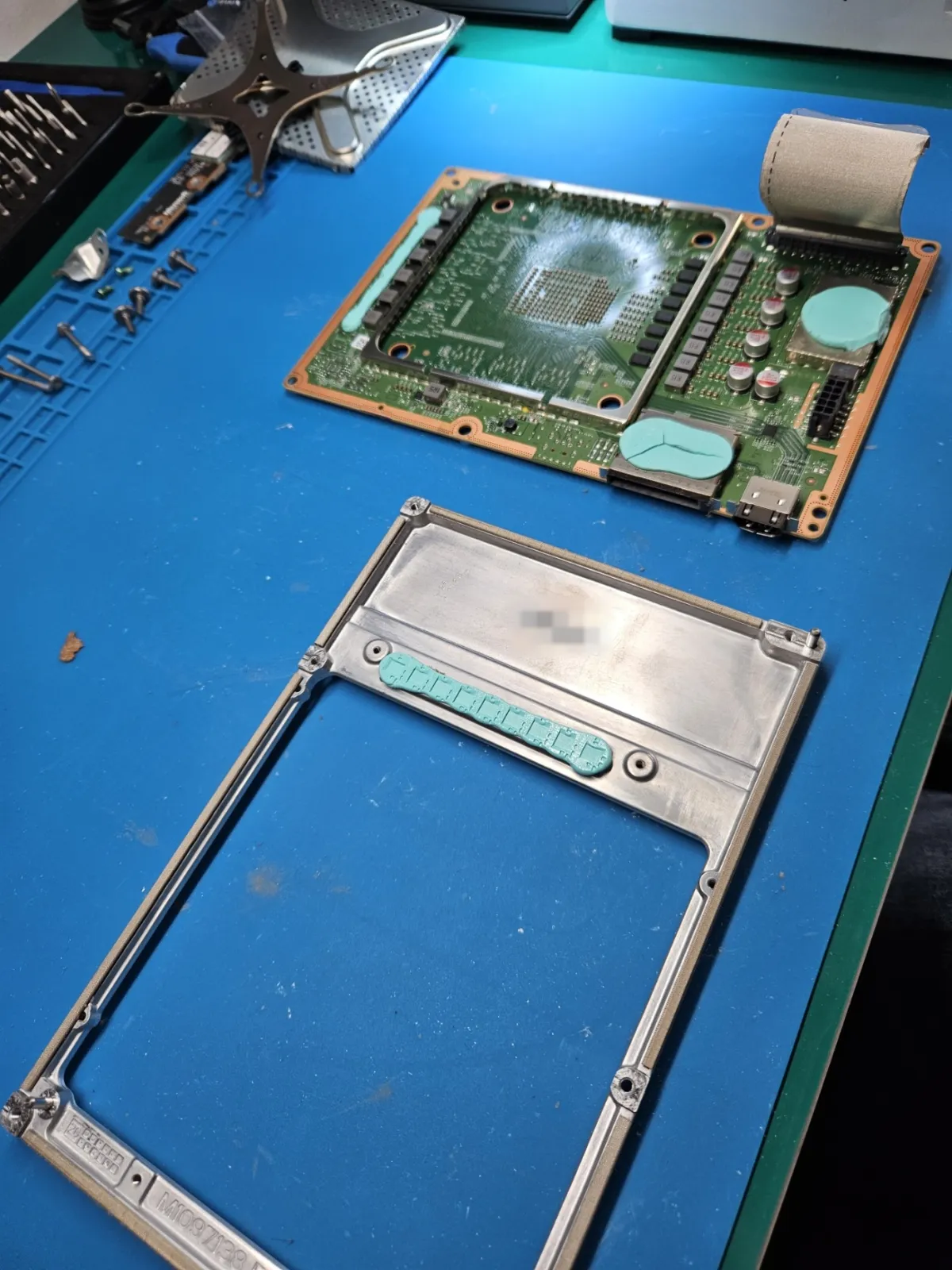
The board and its frame then separate, leaving a bare board that can be worked on properly.
Preheating the board
This is the step that matters most. The main board is large and full of copper, which pulls heat away from the port. Trying to melt the old joints with hot air from above alone takes a lot of heat in one small spot, and that's how pads get lifted and boards get damaged.
So the board goes on a preheater, which warms the whole thing gently from underneath. A thermocouple taped close to the port tells me the temperature at the board itself, and Kapton tape protects the nearby parts from the hot air. With the board already warm, far less heat is needed from above.
Removing the old port and cleaning the pads
With hot air on the port, I wait until all the joints have melted, then lift it straight off. Forcing it early can tear pads away from the board. The pads then get cleaned of old solder, and I check them under magnification. A new port is only as good as the pads under it.
Fitting and inspecting the new port
The new port is lined up with the pads and soldered in. Then I go along every joint under magnification, looking for bridges between pins and any joint that hasn't taken properly.
What I check before it goes back
Once the console is back together, I connect it to a TV and check the signal, with picture and sound. I check the port fit too: the plug should go in firmly and sit without wobbling. Then the console runs a real game on my bench before it's returned.
When it's not the port
Sometimes the damage goes further than the socket, and I can only see that once the console is open.
- Damaged pads or tracks. A port that's been forced can lift the pads or tracks under it. That takes extra work, and I'll tell you what it costs before doing any of it.
- The HDMI chip. A small chip behind the port handles the video signal. I don't currently replace that chip, so if it has failed, it's no fix, no fee: I refund what you paid, less the return postage and packaging charge. My guide to the HDMI port or the HDMI chip explains how they differ.
How to book
An Xbox Series X|S HDMI port repair with me is £75, the same for the Series X and Series S, with parts and tracked return postage included and a 12-month warranty. Book online, then post the console to me using my Xbox packing guide. You can see every other repair on my Xbox Series X|S repair page.
Common questions
Can I keep using it while I wait to send it in?
If the plug is loose or the port looks bent, I'd stop. Each attempt can bend the pins further or stress the pads, which can turn a straightforward repair into a bigger one. Don't wedge the plug at an angle to get a picture.
Is the port the only fault?
Often, but a knock hard enough to damage the port can affect the board too. I check for that once it's open, and I'll tell you what I find before doing any extra work.
Do you need the controller or cables?
No. Just send the console, and keep the controller, HDMI cable and power lead at home.
Can it be fixed at a high street shop?
Some shops can do this work. It's worth asking whether they do the soldering themselves, whether they preheat the board, and what warranty comes with the repair. Those answers will tell you more than the price.