PS5 HDMI Port Repair

£75

No fix, no fee · 12-month warranty · Insured, tracked returns

Signs you need this repair

  • No picture or "no signal" on the TV
  • Black screen while the console powers on and the fan runs
  • Picture cuts out or flickers
  • Bent, loose or visibly damaged HDMI port
  • Worked until an HDMI cable was knocked or the console was moved

A PS5 HDMI port repair is the fix when your console powers on (fan spinning, light on) but your TV shows only "no signal" or a black screen. The HDMI port carries every frame of video out of the console. Its 19 fine pins are easily bent, and its solder joints cracked, by a knocked cable, a console moved while plugged in, or a fall. When that happens the PS5 carries on running; it just can't send a picture.

This is a board-level repair, not a part swap. I remove the damaged port from the mainboard with hot air, clean and prepare the pads, and solder in a new port under magnification. The repair doesn't disturb the liquid metal cooling on the processor. Once it's done, I test the picture and sound at the console's full output resolution before it's posted back.

I repair the original PS5, the PS5 Slim and the PS5 Pro, in both disc and digital editions, all at the same £75. That includes parts and tracked return postage, with a no-fix-no-fee promise and a 12-month warranty.

Two things are worth knowing before you book. Occasionally a "no signal" fault isn't the port at all but the HDMI chip on the board, which I don't replace. If that's what I find, it's no fix, no fee, and I refund what you paid, less return postage. And if a port has been torn off hard enough to damage the board underneath, I'll quote you for the extra work before doing anything more. Most HDMI faults are just the port.
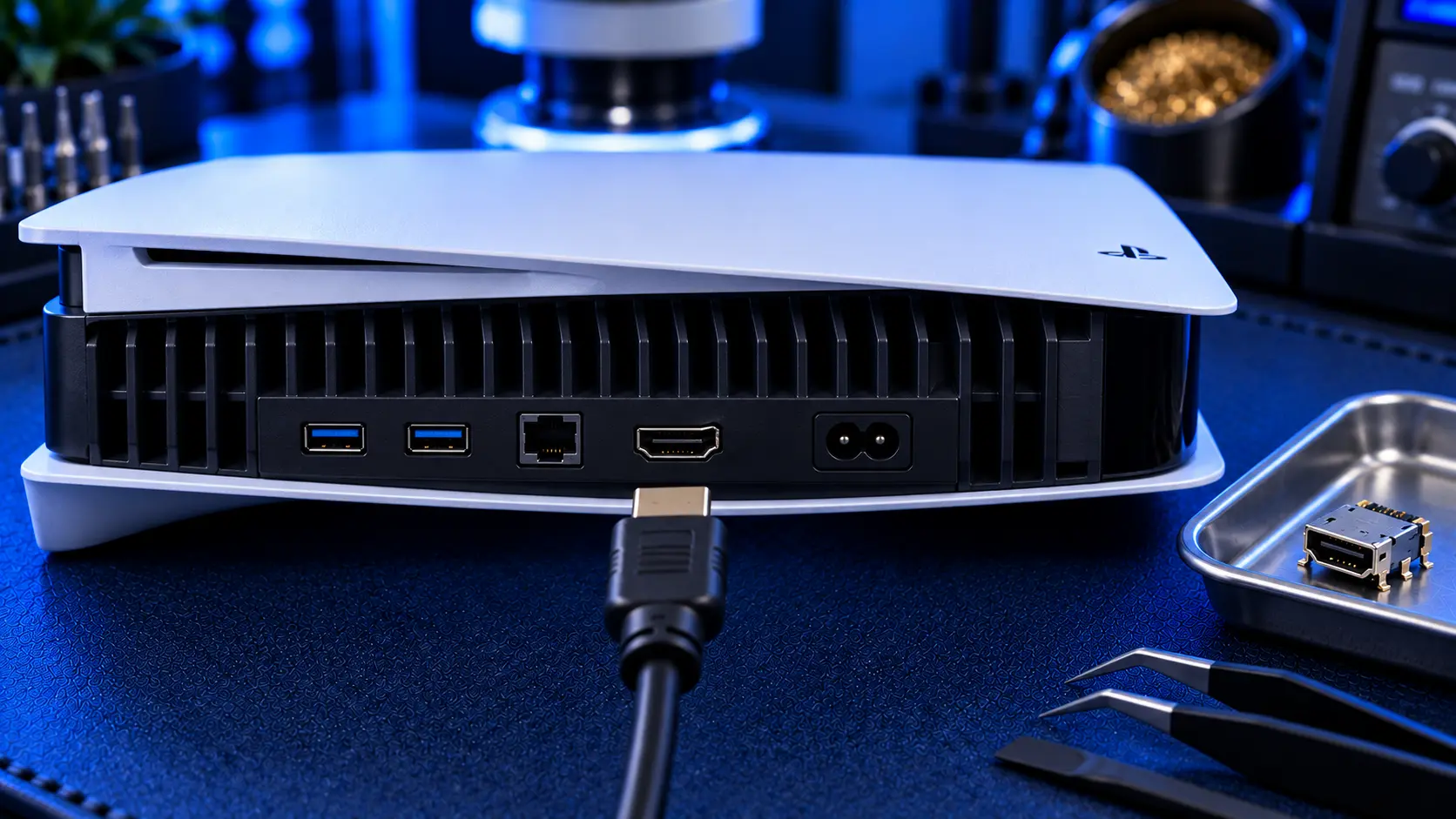
PS5 mainboard with the HDMI port being replaced under a hot air station

Frequently asked questions

How do I know it's the HDMI port and not my TV or cable?
Try a different HDMI cable, a different TV or monitor, and a different HDMI input. If your PS5 still shows "no signal" while it powers on and the fan runs, the console's HDMI port is the most likely cause, especially if the port looks bent or the cable feels loose.
Do you repair the PS5 Slim and PS5 Pro?
Yes. I repair the original PS5, the PS5 Slim and the PS5 Pro, disc and digital editions, all at the same price. The Slim and Pro are laid out differently inside, but the port repair itself is the same careful job. Just choose your model when you book.
What if it's not the port?
Now and then, the port is fine and the fault is the HDMI chip on the board, which gives exactly the same "no signal" symptom. I don't replace that chip, so if that's what I find, there's no repair fee: I refund what you paid, less return postage, and send your console back.
What if the board is damaged under the port?
If a port has been ripped off hard enough to lift the pads or tracks underneath, the board needs extra repair work. I'll tell you what I've found and quote for it before doing anything more. If you'd rather not go ahead, I refund what you paid, less return postage, and send the console back.
Will the repair affect my games, saves or settings?
No. The repair is to the video output port. Your storage, games, saves and settings aren't touched.
Do you touch the liquid metal cooling?
No. The HDMI port repair doesn't disturb the liquid metal on the processor.
Should I send my HDMI cable?
No, just the console. But check your cable before you use it on the repaired console. A plug that has been bent in the damage can harm a new port, so if it's at all bent or loose, replace it.
Is it worth repairing, or should I buy a new PS5?
At £75, the repair costs a fraction of a replacement console, and you keep your console, games and saves. For a PS5 that's otherwise working well, repair is usually the better value.
What should I send, and how should I pack it?
Send just the console: no stand, no controller, and take out any disc. Pack it in a sturdy box with plenty of padding on every side. The original box inside a larger outer box is ideal. I email full packing instructions when you book.

About this service

How does your mail-in repair service work?
Three steps: book and pay for your repair online, post your item to me using the packing instructions I email you, and I repair it, test it, and send it back tracked. You'll get updates as it moves through each stage.
What is your no-fix-no-fee promise?
Payment is taken upfront at booking. If I can't fix your item, there's no repair fee — I refund what you paid, less £4.99 return postage to send it back to you. Assessment bookings work differently: the £4.99 covers return postage and comes off the repair if you go ahead, but isn't refunded if you decide not to or it can't be repaired.
Do your repairs come with a warranty?
Yes. Every repair carries a 12-month workmanship warranty against the same fault returning. If it does, I'll put it right.
How long will my repair take?
Most repairs are completed within 1-3 working days of arrival, then posted back by tracked post. If a part needs ordering, I'll tell you as soon as I've diagnosed it and give you a realistic date. Diagnostic-led jobs take a little longer if I'm waiting on your approval of a quote.
How do I package my item safely to post it?
I send clear packing guidance when you book. In short: wrap the item well, use plenty of padding, and a sturdy box — the return leg is insured and tracked, and good packing on the way in protects your item too.
Where do I send my item?
Your postage address is included in the confirmation email after you book — you don't post anything until you've booked, so your item is always matched to your order.
Do you cover the whole UK?
Yes — I run a mail-in repair service, so you can send your item from anywhere in the UK. There's nothing local you need to find.
What if my item turns out to be unrepairable?
I'll tell you honestly and, where the fault allows, offer an alternative. If I can't fix it, there's no repair fee — I refund what you paid, less £4.99 return postage to send it back to you.