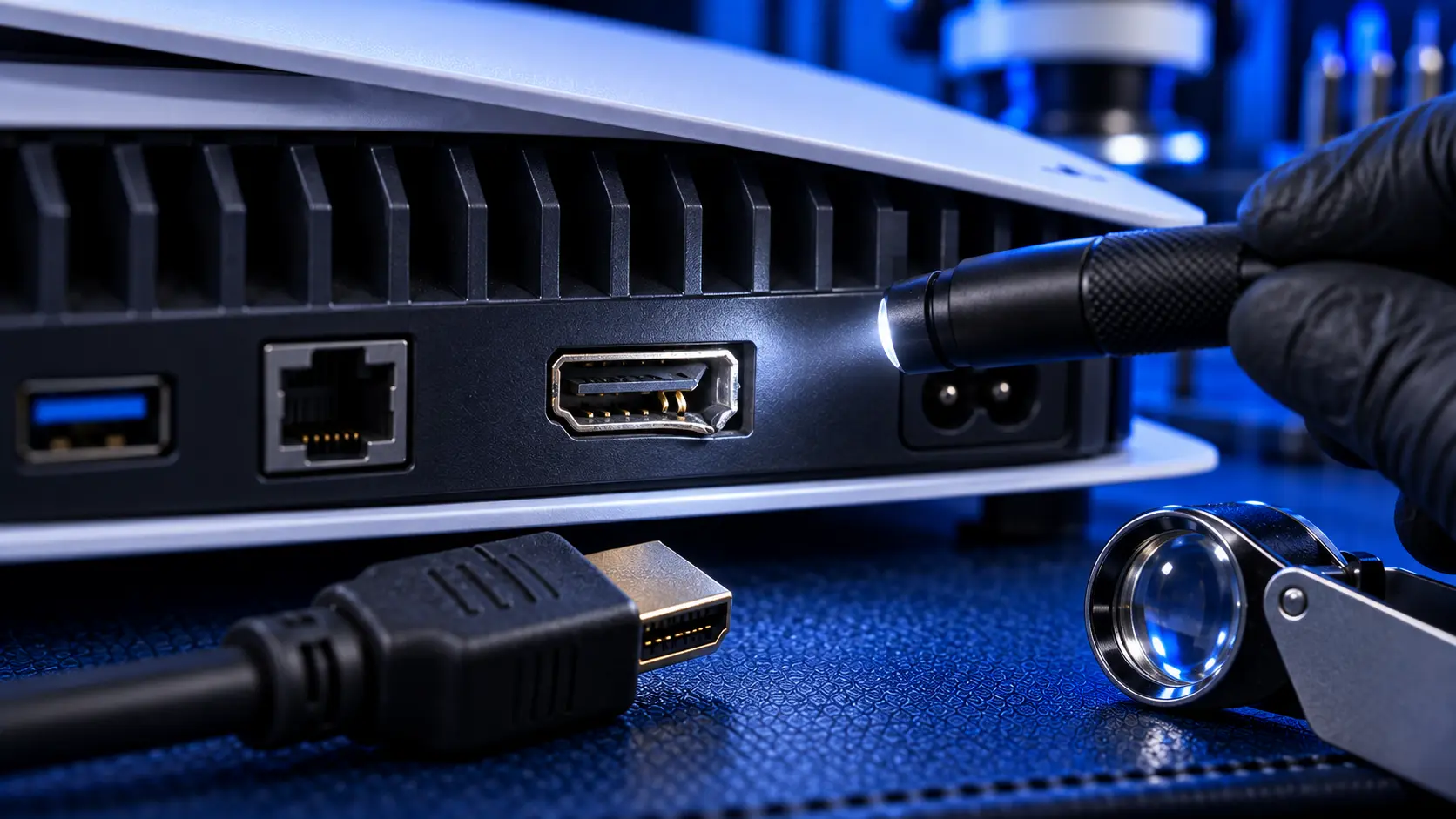
If your PS5 has no picture, the HDMI port is the most likely hardware fault. It's also one you can often check for yourself in a couple of minutes, with nothing more than a torch. Here's exactly what to look for, what the common types of damage look like, and the symptoms that point to the port even when it looks fine.
Before you start, rule out the free causes: a different HDMI cable, a different TV or input, and Safe Mode. I've set those out in PS5 no signal: what to check first.
How to inspect the port safely
Unplug everything. Turn the PS5 fully off, then remove the power cable and the HDMI cable.
Get good light. A phone torch works well. Shine it straight into the port rather than at an angle.
Look, don't poke. Don't put anything into the port, whether a pin, a toothpick or compressed air at close range. The pins inside are fine and easily bent further.
Compare if you can. If you have another device with an HDMI port, such as a laptop or another console, looking at a healthy port first makes damage much easier to spot.
What you're looking for
Bent or flattened pins. Inside the port is a row of fine gold-coloured contacts, top and bottom. In a healthy port they sit in two neat, evenly spaced lines. Damage shows up as pins that are pushed down, bent sideways, touching each other, or missing from the line. A pin flattened against the plastic is a common sign of a plug forced in at an angle.
A crooked or sunken socket. Look at the metal shell of the port from outside. It should sit square and flush with the console's back panel. If it's tilted, pushed back into the console, or sits unevenly compared with the other ports, it has usually been knocked hard enough to crack or break its solder joints to the board.
A loose socket. With the console unplugged, gently touch the metal shell of the port. It shouldn't move at all. If it wobbles or shifts, the joints holding it to the board have cracked or torn. This is one of the clearest signs of port damage, and it gets worse every time a cable is plugged in.
A damaged shell. The metal surround can be bent inward or outward, dented, or split, usually from a plug being levered in the port. A deformed shell often means the pins inside are damaged too.
Debris or scorching. Occasionally you'll see lint or dirt packed into the port, which can be removed carefully. Less often you'll see dark scorch marks on the pins, which usually means a short. That's a sign to stop using the console and have it checked.
Symptoms that point to the port
Sometimes the port looks perfect from the outside but has cracked solder joints behind the shell, where you can't see them. These symptoms point to the port either way:
The picture comes and goes when the cable is touched or moved
The picture only appears with the cable held at a certain angle
The plug feels looser than it used to, or won't click in fully
The picture flickers, drops out, or shows sparkles and lines
The fault started after a knock, a fall, or the console being moved while plugged in
Check the cable plug too
While you're looking, inspect the HDMI cable's plug. If the port was damaged by a knock or a pull, the cable often took the same force. Look for a bent metal shell, a plug that's out of shape, or contacts that look damaged.
If the plug is at all damaged, don't use that cable again, and definitely don't plug it into a freshly repaired port. A damaged plug can bend a new port's pins straight away. A new Ultra High Speed HDMI cable costs far less than a second repair. I've written more about avoiding a repeat in how to protect your PS5 HDMI port.
Should you straighten bent pins yourself?
I'd advise against it. The pins are tiny and brittle, and they sit very close together. Straightening one usually bends it again or snaps it, and a pin pushed into its neighbour can short the port when the console is powered on. Even if you manage to straighten them, a port that has been bent has usually been stressed at the solder joints too, and it tends to fail again.
If the port looks fine
If the port looks perfect, the cable seats firmly, and the free checks haven't solved it, the fault may be behind the port, in cracked joints you can't see, or in the HDMI chip on the board. PS5 HDMI port or HDMI chip: how to tell explains the difference.
What the repair involves
A PS5 HDMI port repair with me is £75 all-in for the original PS5, PS5 Slim and PS5 Pro, including parts and tracked return postage. I remove the damaged port with hot air, clean and prepare the pads, and solder in a new port under magnification. The repair doesn't disturb the liquid metal cooling on the processor. If the port has been torn off hard enough to damage the board underneath, I'll quote for the extra work before doing anything more. Every repair is covered by a no-fix-no-fee promise and a 12-month warranty.
My recommendation
Unplug the console, get a good torch on the port, and look for bent pins, a crooked or sunken socket, or a socket that moves. If you see any of those, it's the port, and the sooner it's replaced the better, because a loose port gets worse with every cable plugged in. If it all looks fine but the symptoms fit, the damage may be behind the shell. Either way, stop plugging and unplugging cables to test it. That's the quickest way to turn a simple repair into a harder one.
The Repair Works is an independent UK repair service, run by me, Paul — 25 years of hands-on repair experience, working by post for customers across the whole country. Not affiliated with or endorsed by Sony.


