To pack a retro console for posting: take out any disc or cartridge, include the power supply if it's a no-power job, leave controllers and cables at home unless I've asked for them, wrap the console well, and use a sturdy box, or two boxes for heavier consoles. Send it tracked with enough cover for what it's worth.
Here's each step in a bit more detail.
1. Remove discs and cartridges
Before you pack anything, check the console is empty.
- Open the disc tray or lid on a PlayStation, Saturn or Mega CD and take out any disc.
- Pull out any cartridge from a SNES, N64 or Mega Drive.
A disc left inside can come loose in transit and scratch, or damage the drive. A cartridge sticking out of the top is easily knocked. If I need a particular game to reproduce a fault, I'll ask.
One N64 exception: leave the Jumper Pak or Expansion Pak in the top slot. The console needs one of those fitted to show a picture.
2. Send the power supply for no-power jobs
If your console won't turn on, send its power supply (the power brick) with it. Old power supplies fail too, and without it I can't tell whether the fault is in the brick or the console. That's the case whether you've booked a SNES assessment, an N64 assessment or another no-power job.
Some consoles, such as the fat PS2, have the power supply built in, so there's no brick to send. The power lead isn't needed.
3. Leave controllers and cables at home
Unless I've asked for them, don't send controllers, AV cables, memory cards or manuals. I have my own for testing, and every extra item is one more thing to pack, track and return. I don't offer retro controller repairs, so there's no need to include one.
4. Wrap the console
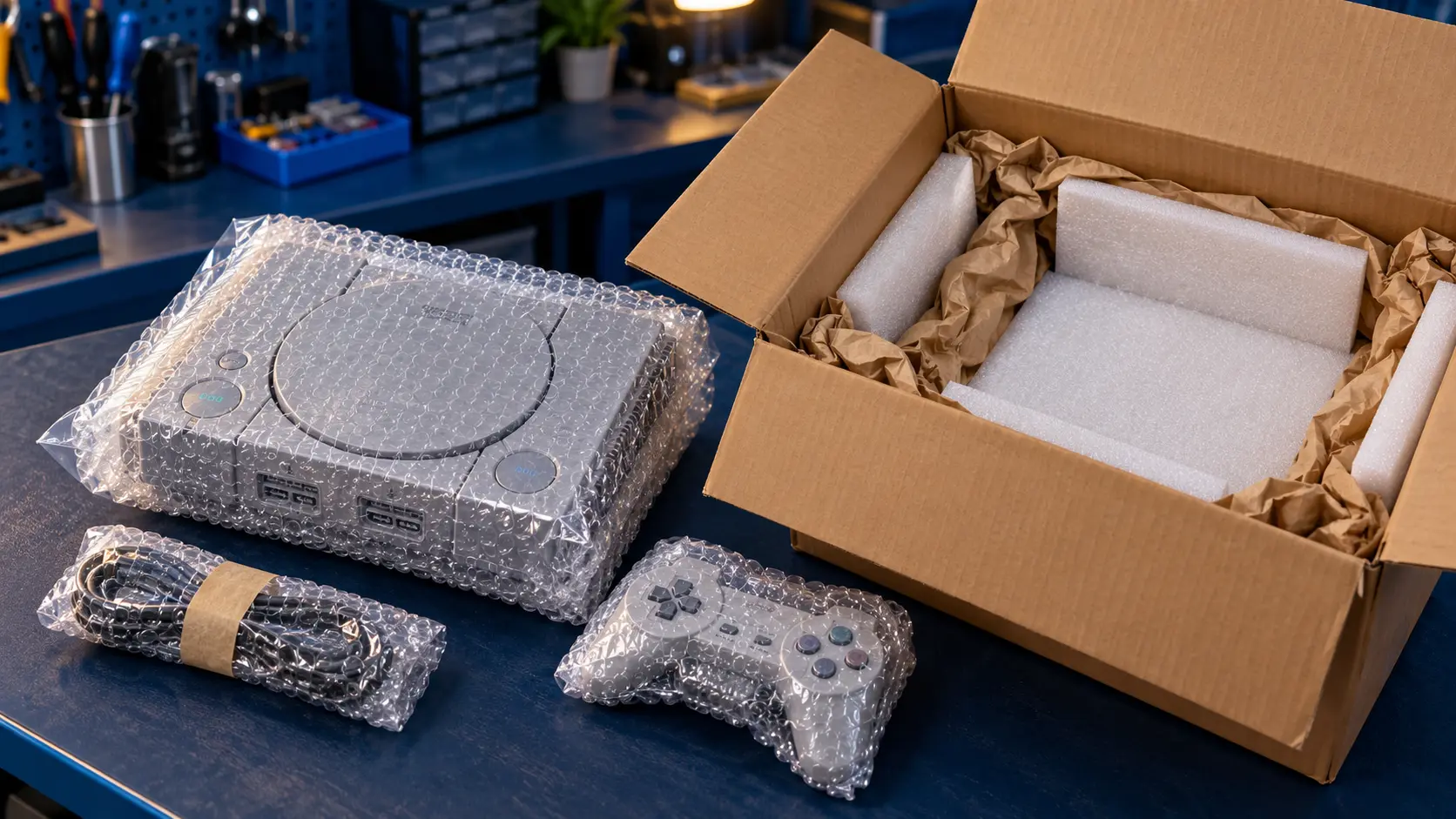
- Put the console in a plastic bag first, to keep packing dust and moisture out of the vents and slots.
- Wrap it in two or three layers of bubble wrap, taped so it can't unravel.
- Wrap the power supply separately, so it can't knock against the console.
- Put a note inside with your name, order details and a short description of the fault.
5. Box it properly
Use a strong cardboard box with room for at least a few centimetres of padding on every side. Fill the gaps with bubble wrap, paper or packing chips so nothing moves when you shake the box.
Double-box heavy consoles
Larger, heavier consoles such as a fat PS2 or an N64 with its power supply are more likely to be damaged if a box is dropped. For those, double-boxing is worth the effort:
- Pack the wrapped console snugly in a smaller box.
- Put that box inside a larger one with padding on every side.
- Tape all the seams on the outer box.
It adds a little to the weight, but it gives the console much better protection.
If you still have the original box
A collector's box can be damaged in the post. I'd keep it at home and use a plain shipping box. If you do want to send it, put the whole thing inside an outer box, never as the shipping box itself.
6. Choose tracked postage with enough cover
You pay for the postage to send the console to me. Use a tracked service, and check that its compensation cover is enough for what the console is worth to you, since the cheapest service may not cover much. Posting a big console costs more, so it's worth checking prices before you book.
Keep your proof of postage and the tracking number until the console is back with you.
The return journey is on me: the insured, tracked return is included in every job.
What happens next
When you book, the confirmation email gives you the address and packing guidance. I check the console, do the work, test it on my bench, and send it back. Every repair has a 12-month warranty, and if I can't fix it, there's no fix, no fee: I refund what you paid, less the return postage.
Browse the services on the retro console repairs page. If you're still weighing up whether a repair makes sense, see retro console repair costs in the UK or is recapping worth it?
Frequently asked questions
Should I send my controller with the console?
No, unless I've asked for it. I test with my own controllers, and leaving yours at home means less to pack and nothing extra to go missing.
Do I need to send the power supply?
For a console that won't turn on, yes. The power supply is a common cause of no-power faults, so I need it to find the problem. For other repairs, it isn't needed.
Can I reuse the console's original retail box for posting?
It's best not to. Retail boxes aren't built for the post, and a collector's box can be crushed or marked. Use a proper shipping box instead.