Sticky or unresponsive Game Boy Advance buttons are usually caused by dirt under the buttons or worn rubber contact pads. Cleaning or new pads should sort them. The L and R shoulder buttons work differently, using small clicky switches on the board, so they need a different fix. The buttons repair is £29.
How GBA buttons work
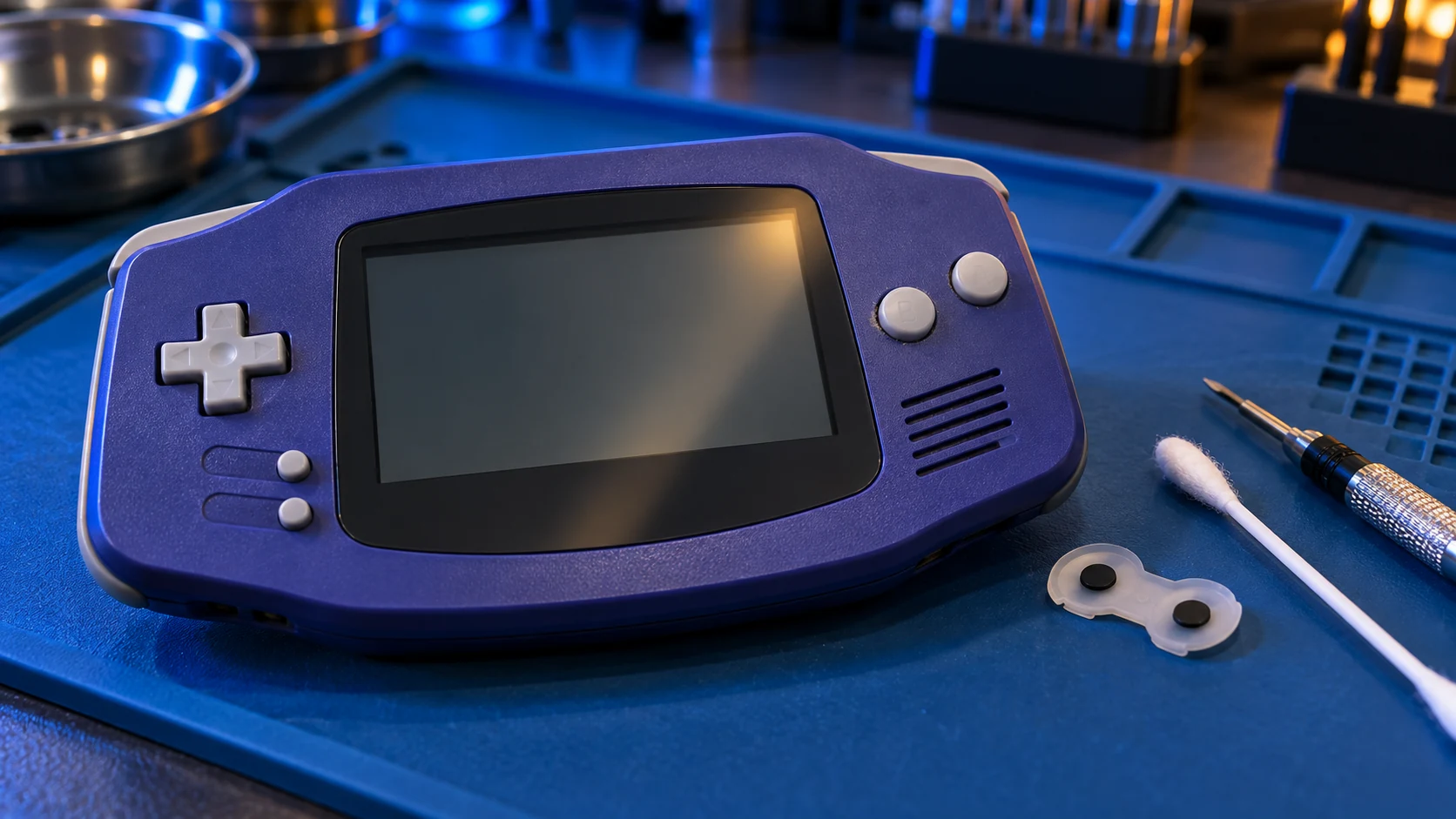
The A, B, Start, Select and D-pad buttons on a Game Boy Advance don't press directly on a switch. Each plastic button sits on a rubber pad. On the underside of that pad is a small conductive contact. When you press the button, the contact touches a pair of tracks on the circuit board and completes the circuit.
That simple design has held up well, but after a couple of decades two things tend to go wrong.
Dirt and residue
Spilt drinks, sticky fingers and dust get in around the buttons. The result can be a button that sticks down, feels gritty, or doesn't spring back properly. Grime on the board or the contacts can also stop a press registering.
Worn rubber pads
The conductive contacts on the pads wear with use, and the rubber itself can harden or tear. A worn pad might mean you have to press really hard, a button that only works some of the time, or diagonals on the D-pad that don't register. Cleaning won't bring back a worn pad; it needs replacing.
What you can try yourself
For a button that's a bit sticky on the outside, a careful surface clean can help:
- Switch the console off and take out the batteries and any cartridge.
- Dampen a cotton bud with isopropyl alcohol and squeeze out the excess.
- Work it gently around the edge of the sticky button.
- Press the button repeatedly to work the alcohol around, then let it dry fully before putting the batteries back.
DIY cautions
- Don't pour or spray liquid into the console. Liquid can run onto the board and cause more problems than it solves. A damp cotton bud is enough.
- Don't use household sprays or lubricants. Oily products attract more dirt and can damage the rubber pads.
- Go carefully if you open it. The GBA uses tri-wing screws, which need a specific screwdriver. The shell clips and screw posts are old plastic and can crack.
- Don't scrape the board. The contact tracks under the pads are thin. Abrasive cleaning can wear them away.
If a surface clean doesn't help, the problem is inside, and it's time for a proper repair.
The L and R shoulder buttons are different
The shoulder buttons don't use rubber pads. Each one presses on a small tactile switch, a tiny clicky component soldered to the circuit board. When one of those switches wears or gets dirty inside, you'll notice:
- a shoulder button that needs pressing harder than usual;
- presses that only register now and then;
- a button that has lost its click, or does nothing at all.
Because the switch is sealed and soldered, cleaning from the outside rarely helps. The usual fix is to remove the old switch and solder in a new one. It's small, careful soldering work, and it's not something I'd recommend as a first DIY project.
The £29 repair
The GBA buttons, power switch or cartridge slot repair is £29. I open the console, clean the board contacts and buttons, replace worn rubber pads, and deal with shoulder switches where needed. Then I test every button, including diagonals on the D-pad, before it goes back.
It's one of several options on the Game Boy Advance & SP hub. If your GBA isn't reading games either, see GBA not reading games, as the same repair covers the cartridge slot. For an overview of prices, there's how much a Game Boy Advance repair costs.
If you have an original Game Boy, Pocket or Color, the equivalent is the Game Boy buttons and power repair. For a GBA SP, get in touch first.
Every repair comes with a 12-month warranty, and if I can't fix it, there's no repair fee: no fix, no fee.
Frequently asked questions
Can I fix a worn button pad by cleaning it?
Usually not. Cleaning helps when the problem is dirt. If the conductive contact on the pad has worn, it needs a new pad to work reliably.
Why does only my R button not work?
The shoulder buttons use small clicky switches soldered to the board rather than rubber pads. When one wears, the usual fix is to replace that switch.
Do I need to send the batteries with it?
No. Please take the batteries and any cartridge out before posting. I test the console with my own.