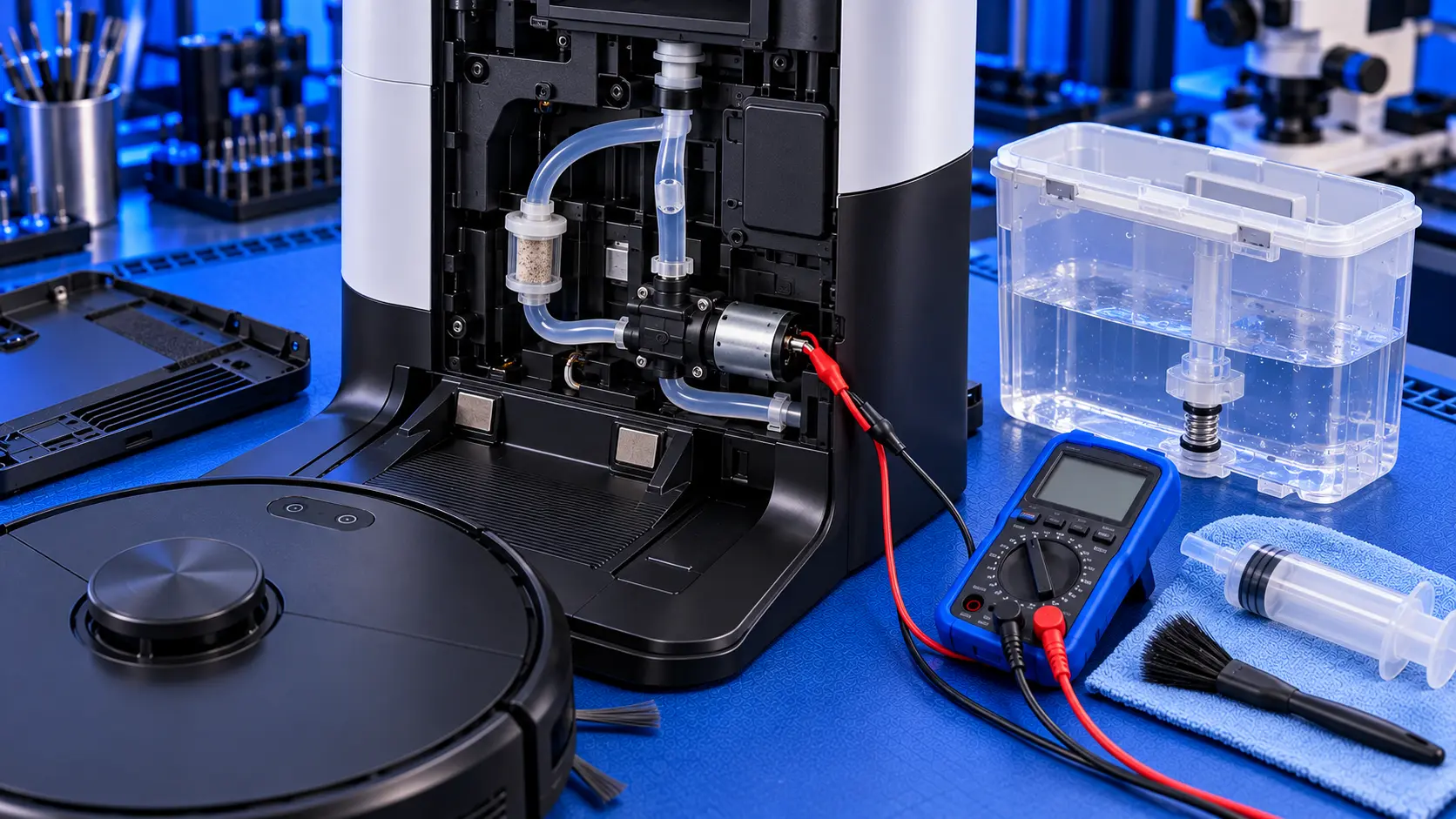
Dreame's self-cleaning base stations do a lot of work: they fill the robot's water, wash the mop pads, pump the dirty water away and, on many models, empty the dust bin too. When the water side stops working, you get messages about the clean water tank, a mop that isn't being washed, or dirty water that isn't being drained.
Most of these problems have simple causes, and they're worth checking before assuming a fault. Here's what to look at.
Which models this covers
These checks apply to Dreame base stations with clean and dirty water tanks, including the L10s Ultra, L20 Ultra and L40 Ultra families. The layout varies a little between models, but the parts and the principles are the same.
If it says the clean water tank is empty or not installed
Dreame's own troubleshooting for this starts with the tank itself, and it's where most of these problems are.
1. Check the tank is seated properly
Take the clean water tank out and put it back, pressing it down gently until it's fully seated. A tank that's slightly out of place won't connect to the station.
2. Check the float
At the bottom of the clean water tank there's a float with a small magnet. It tells the station how much water is in the tank. If the float is missing, stuck or has come loose, the station thinks the tank is empty. Check it moves freely. Dreame advises contacting support if the float or its magnet is missing.
3. Refill and test
Fill the tank with clean water, refit it, and run a mop wash from the app to test it.
4. Reset the base station
Unplug the base station for about a minute, then plug it back in and try again.
If it won't drain the dirty water
1. Check the washboard and outlet
The washboard, the tray the mop pads sit on, lifts out. Underneath it is the outlet where dirty water is sucked away. Hair, fluff and grime collect here and block it. Clean the washboard and the outlet thoroughly.
2. Check the dirty water tank's seal and clip
The dirty water tank has seals where it connects to the station. A dirty, twisted or damaged seal lets air in, and the station can't pull water through. Clean the seals, check they're sitting flat, and make sure the tank's clip is fastened after emptying it.
3. Clean the sensors
The washboard has overflow sensors. If they're dirty, the station can report problems that aren't really there. Wipe them clean.
When it's a fault
If the tanks, float, seals and outlet are all fine and the station still won't pump or drain, the fault is inside the base station. The usual causes are:
- A failed pump. The station has pumps that move clean water in and dirty water out. Like any small pump, they can wear, seize, or get blocked by debris.
- A blocked or split tube. Water runs through small internal tubes. Grime can block them, and a tube can split or come off its connector.
- A failed valve or sensor. Small valves control where the water goes, and sensors tell the station what's happening. Either can fail.
- A board fault. Less often, the fault is on the station's control board, sometimes after a leak has reached it.
These are all parts that can be replaced. A failed pump or tube doesn't mean the whole base station has to be replaced.
Look after the station
- Empty and rinse the dirty water tank after cleaning, rather than leaving it standing.
- Clean the washboard regularly. It's where most blockages start.
- Use only the cleaning solution Dreame recommends, in the right amount. Too much, or the wrong kind, can leave residue in the pumps and tubes.
Common questions
Why does it say the tank is empty when it's full?
Usually the float at the bottom of the clean water tank is stuck, missing or can't be detected, or the tank isn't fully seated.
Is it the robot or the station?
If the station won't fill or drain, it's almost always the station. If the station works but the mop stays dry while cleaning, the problem may be in the robot's own water system instead.
Still not pumping?
If you've been through the checks and the station still won't pump or drain, get in touch with your model and what it's doing. I'll tell you honestly whether it's worth repairing.
The Repair Works is an independent UK repair service, run by me, Paul — 25 years of hands-on repair experience, working by post for customers across the whole country. Not affiliated with or endorsed by Dreame.